

Table of Contents
Why Your Monitor Matters More Than Your GPU
There’s a moment every serious gamer eventually faces: they’ve upgraded their CPU, installed a powerful graphics card, maybe even built a custom water loop — and then they fire up a game on the same flat, 60Hz panel they bought five years ago. The result? Disappointment. Not because the hardware failed, but because the monitor became the bottleneck.
Your monitor is the final step between your PC’s rendering pipeline and your eyes. Every frame your GPU works to produce passes through that panel. If the panel is slow, dim, or washed-out, no amount of silicon can rescue the experience. That’s the core reason why choosing the right gaming monitor in 2026 matters more than ever.
The display industry has transformed dramatically over the past few years. OLED panels, once reserved for premium televisions, are now available in gaming monitors at sizes and refresh rates that were science fiction a decade ago. Mini-LED backlighting has brought local dimming precision to a whole new level, allowing IPS and VA panels to produce contrast that challenges OLED. QD-OLED — a hybrid that layers quantum dot film over OLED — delivers the best of both worlds: perfect black levels combined with colour saturation that pushes well beyond what traditional displays could achieve.
Meanwhile, refresh rates that were once exotic (240Hz, 360Hz) are becoming mainstream. Response times have dropped to fractions of milliseconds. HDR certification tiers have matured enough that HDR on a good gaming monitor actually looks stunning, not just slightly brighter.
This buying guide is designed for:
- PC gamers looking to pair a monitor with a mid-range to high-end GPU.
- Console gamers on PlayStation 5 or Xbox Series X who want better picture quality than a TV provides.
- Competitive players who care about frame rate and motion clarity above all else.
- Story-driven and creative gamers who want cinematic colour and contrast for immersive single-player experiences.
- Hybrid users who split screen time between gaming and productivity work.
In this guide, we put five monitors to the test across all these use cases:
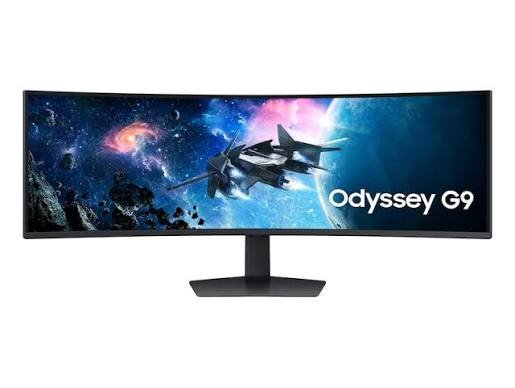
- Samsung 49-Inch Odyssey G9 — The ultrawide beast for the most immersive experience possible.
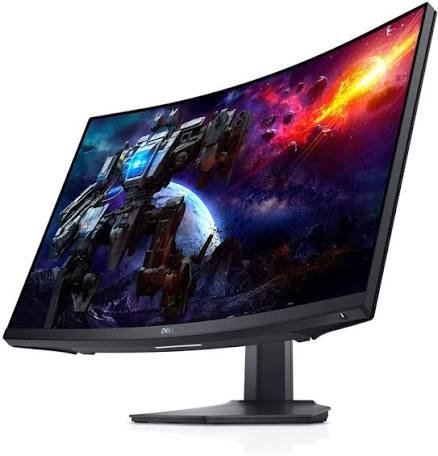
- Dell S3222DGM — A practical, affordable curved monitor that punches above its price tag.
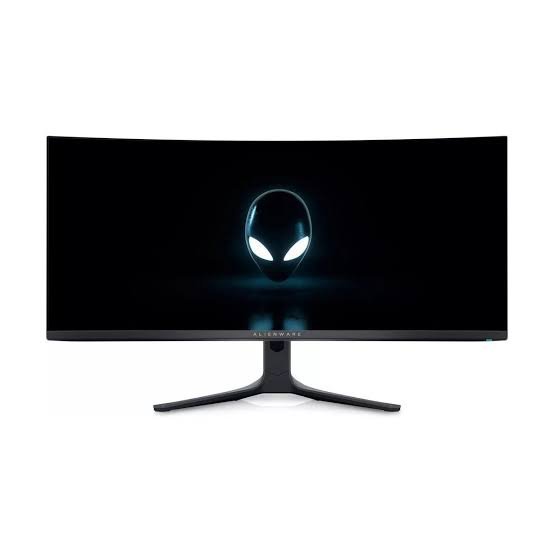
- Alienware AW3423DWF — A QD-OLED ultrawide that redefines what image quality looks like in gaming.
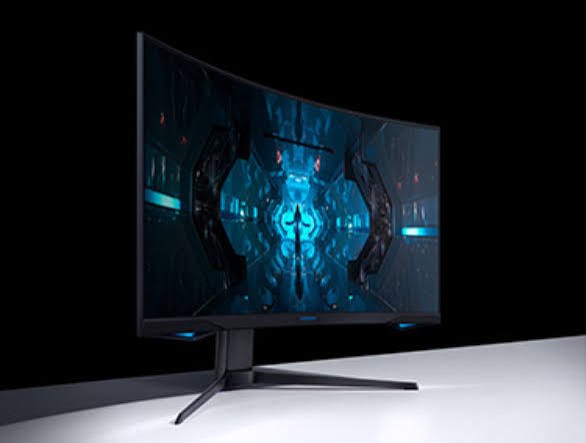
- Samsung Odyssey Neo G8 — A 4K Mini-LED powerhouse for those who want it all.
- Titan Army P2712V — A value-driven 4K challenger for budget-conscious buyers.
Let’s get into it.
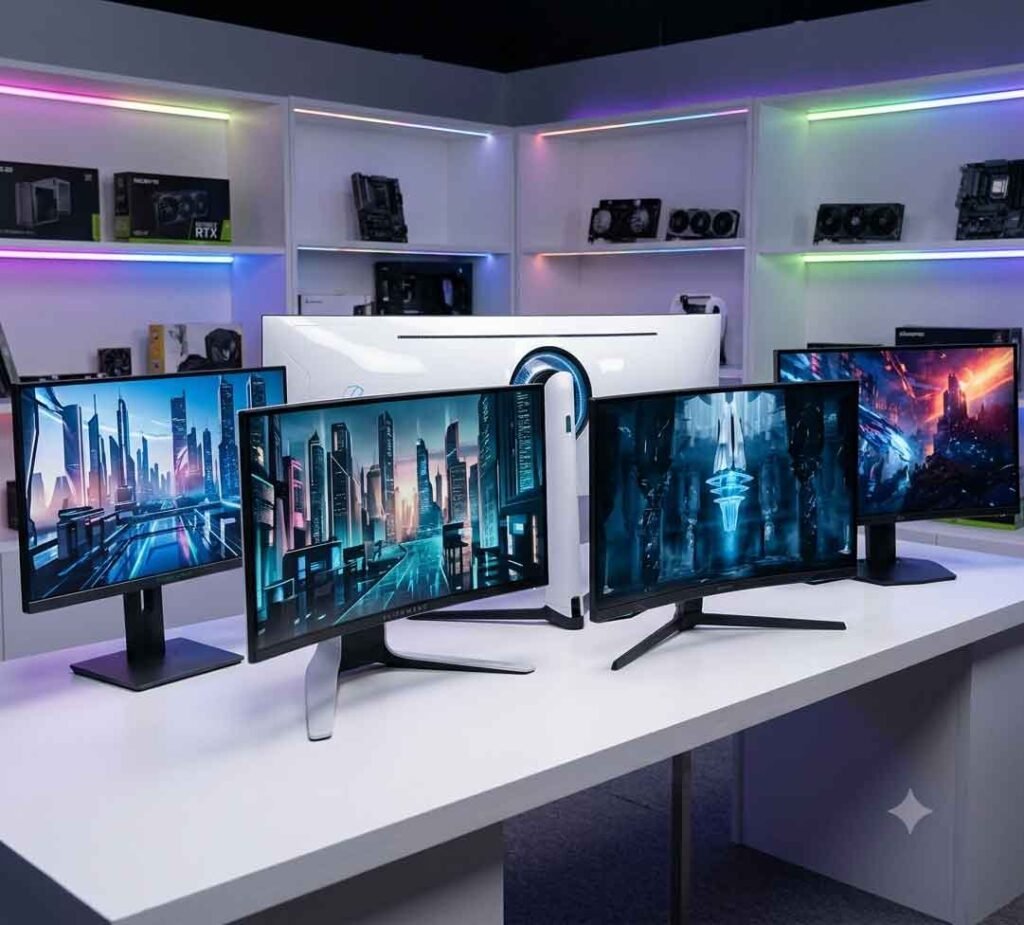
Quick Comparison Table
| Monitor | Best For | Screen Size | Resolution | Refresh Rate | Panel Type | HDR | Response Time | Price Category | Rating |
|---|---|---|---|---|---|---|---|---|---|
| Samsung Odyssey G9 (49″) | Ultra-immersive gaming | 49″ | 5120×1440 | 240Hz | VA | HDR1000 | 1ms | Premium | ⭐ 90/100 |
| Dell S3222DGM | Budget curved gaming | 32″ | 2560×1440 | 165Hz | VA | HDR400 | 1ms | Mid-range | ⭐ 82/100 |
| Alienware AW3423DWF | Best image quality | 34″ | 3440×1440 | 165Hz | QD-OLED | VESA True HDR | 0.1ms | Premium | ⭐ 94/100 |
| Samsung Odyssey Neo G8 | Best overall 4K | 32″ | 3840×2160 | 240Hz | VA Mini-LED | HDR2000 | 1ms | Premium | ⭐ 96/100 |
| Titan Army P2712V | Budget 4K gaming | 27″ | 3840×2160 | 160Hz | IPS | HDR400 | 1ms | Budget | ⭐ 78/100 |
What to Look for Before Buying a Gaming Monitor
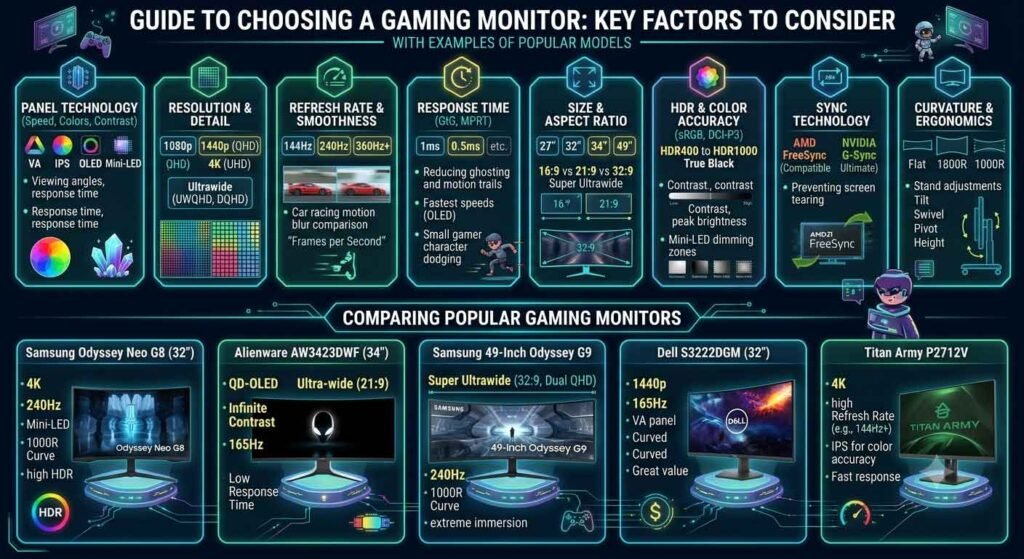
Before spending your money, it pays to understand what each specification actually means for your day-to-day experience. Here’s a plain-English breakdown of every factor worth considering.
Screen Size
Monitor size is often the most visible spec, but bigger isn’t always better. A 27-inch monitor is considered the sweet spot for most desk setups — large enough to be immersive, compact enough to stay in your natural field of view without constantly turning your head.
32 inches works well when you’re sitting a bit further from the screen. Once you cross into ultrawide territory — 34 inches and up — you’re essentially wrapping the image around your peripheral vision. That’s spectacular in the right game. In fast-paced competitive titles, though, it can mean important game information sits at the edge of your sight line.
The 49-inch super-ultrawide is its own category entirely. It’s effectively two 27-inch monitors fused into a single curved panel, giving you workspace and immersion that nothing else can match.
Resolution
Resolution determines how sharp everything looks.
- 1080p (Full HD): Still viable for competitive gaming at high refresh rates, but looks noticeably soft on anything larger than 24 inches.
- 1440p (QHD): The current sweet spot. Significantly sharper than 1080p, and most modern GPUs handle it well without sacrificing too much frame rate.
- 4K (UHD): Stunning on the right display. Demanding on your GPU. Best experienced at 27–32 inches where pixel density genuinely matters.
Higher resolution always comes at a cost to frame rate unless you have a powerful GPU to compensate. Match your resolution choice to your hardware honestly.
Aspect Ratio
Most monitors come in a standard 16:9 ratio. Ultrawide monitors use a 21:9 ratio, and super-ultrawides stretch to 32:9. Both ultrawide formats can provide an expanded field of view in supported games, but many competitive titles either don’t support them or actively restrict the extra horizontal space in multiplayer to maintain fairness.
Curved vs Flat Displays
Curved panels wrap gently toward your eyes at the edges, reducing eye movement and creating a more immersive viewing experience. Curvature is measured in a radius rating: a 1800R curve is tighter and more pronounced, while a 3800R curve is barely noticeable.
For single-player and story-driven games, curvature adds genuine immersion. For productivity work that involves precise straight lines — like graphic design or video editing — a flat panel is generally more accurate.
Refresh Rate
This is how many frames per second the panel can actually display. A 60Hz monitor shows 60 frames per second. A 240Hz monitor shows 240.
The difference between 60Hz and 144Hz is dramatic and immediately noticeable. The jump from 144Hz to 240Hz is more subtle but real — especially in fast competitive games where tracking moving targets matters. Beyond 240Hz, diminishing returns set in quickly unless you’re a professional esports player.
For most gamers, 144Hz to 165Hz represents the sweet spot between performance and cost.
Response Time
Response time measures how quickly a pixel can change from one colour to another, typically expressed in milliseconds. Lower is better. Slow response times cause “ghosting,” a smearing trail behind fast-moving objects.
- 1ms GtG (Grey-to-Grey): Found in most gaming VA and IPS panels. Very capable for competitive play.
- 0.1ms GtG: The headline spec on OLED and QD-OLED panels. Essentially perfect for gaming.
Note that manufacturers sometimes measure response time differently. MPRT (Moving Picture Response Time) is a different measurement that factors in backlight strobing. Always check independent reviews alongside manufacturer claims.
Panel Technology
This is arguably the most important decision you’ll make:
- IPS: Great colour accuracy and wide viewing angles. Historically weaker in contrast, though Mini-LED IPS panels now compensate significantly.
- VA: Superior contrast ratios compared to IPS. Can suffer from “black smearing” — a ghosting artifact visible in dark scenes — if the response time isn’t fast enough.
- OLED: Perfect contrast (infinite, technically). Fast pixel response. Risk of permanent burn-in over years of heavy, static-image use.
- QD-OLED: Combines the contrast of OLED with the colour volume of quantum dot technology. Currently the best-looking panel technology available in gaming monitors.
- Mini-LED: LED backlighting with thousands of tiny LEDs instead of a few large ones. Far better local dimming and peak brightness than standard edge-lit panels. Not quite OLED-level contrast, but significantly brighter.
Brightness
Measured in nits. Standard SDR content looks fine at 250–400 nits. True HDR — the kind that makes you notice a difference — starts at around 600 nits of sustained brightness and 1,000 nits or more for highlights.
Contrast Ratio
This is the difference between the darkest black and the brightest white the panel can display. A higher contrast ratio means darker blacks and more depth in shadows. IPS panels typically achieve around 1,000:1. VA panels reach 3,000:1 or more. OLED is effectively infinite because pixels switch off entirely to produce black.
HDR Performance
HDR (High Dynamic Range) is one of the most misused marketing terms in the display industry. Many monitors claim HDR support but deliver only a modest improvement because they lack the brightness and local dimming needed to realise true HDR.
Meaningful HDR tiers:
- HDR400: Entry-level. Little noticeable impact.
- HDR600: Decent improvement in highlights.
- HDR1000 and above: Genuine HDR experience. What you want for an impactful upgrade.
- VESA DisplayHDR True Black: The premium OLED standard. Infinite contrast with certified peak brightness.
Color Accuracy and Color Gamut
Color gamut refers to the range of colours a display can reproduce. Most gaming monitors cover at least 95% of the sRGB colour space. Premium panels target DCI-P3, the wider cinema colour standard.
Delta E is the measurement of colour accuracy. Lower delta E means more accurate colour. For general gaming, a delta E below 3 is good. For content creation, aim for below 2.
Adaptive Sync
G-SYNC (NVIDIA) and FreeSync (AMD) are technologies that synchronise the monitor’s refresh rate with your GPU’s output frame rate. The result: no screen tearing and reduced stuttering, particularly at frame rates below your monitor’s maximum.
Most modern monitors support at least FreeSync. “G-SYNC Compatible” means a FreeSync monitor has been NVIDIA-certified to work with G-SYNC features. Full “G-SYNC Ultimate” certification is more exclusive but rarely necessary.
Motion Clarity
Beyond response time, motion clarity encompasses how the monitor handles fast motion overall, including backlight strobing (ULMB, ELMB) technologies that reduce perceived blur at the cost of brightness.
Viewing Angles
IPS panels maintain consistent colour and brightness up to 178 degrees horizontally and vertically. VA panels narrow slightly. OLED panels are excellent. This matters primarily in productivity setups where multiple people view the screen from different positions.
Connectivity
Check what ports are available and what version they are. HDMI 2.1 is essential for 4K 120Hz on consoles. DisplayPort 1.4 is needed for high-bandwidth PC connections. USB-C with DisplayPort Alt Mode is increasingly useful.
Also consider: USB hubs built into the monitor, headphone jacks, and KVM switches if you’re sharing the display between devices.
Ergonomic Stand
A good stand offers height adjustment, tilt, swivel, and ideally pivot (rotation to portrait mode). Being able to position your monitor correctly for long sessions is genuinely important for posture and eye comfort.
VESA Mount Compatibility
If you plan to use a monitor arm, check VESA compatibility. Most monitors support 75×75mm or 100×100mm VESA patterns. Ultrawide and super-ultrawide monitors sometimes require 100×100mm or larger.
Console Compatibility
For PlayStation 5 and Xbox Series X gaming, prioritise monitors with HDMI 2.1 ports (or at least HDMI 2.0 for 1440p 120Hz). Also check whether the monitor supports 4K 120Hz and if VRR (Variable Refresh Rate) via HDMI is supported.
Productivity Features
PiP (Picture-in-Picture) and PbP (Picture-by-Picture) modes let you display multiple sources simultaneously. Built-in USB hubs reduce cable clutter. Good default colour presets for office work reduce the need for manual calibration.
Build Quality and Energy Efficiency
Premium monitors are worth the investment partly because they last. Look for sturdy plastics, minimal wobble on the stand, and VESA certification on environmental standards (DisplayHDR and TCO Certified labels are positive signals).
Value for Money
Price is the final filter. A $200 monitor that perfectly suits your needs beats a $1,200 monitor you can’t fully utilise.
Our Top 5 Gaming Monitor Picks for 2026
1. Samsung Odyssey G9 (49″)
Overview
The Samsung Odyssey G9 in its 49-inch form is the kind of monitor that makes people stop and stare when they walk into your room. It’s genuinely enormous — a 32:9 super-ultrawide that curves at a dramatic 1000R radius, wrapping around you like a cockpit windshield. For racing sims, flight simulators, open-world RPGs, and productivity workflows that benefit from extreme horizontal real estate, nothing on this list matches it.
That said, it is absolutely not for everyone.
Key Specifications
| Specification | Detail |
|---|---|
| Screen Size | 49 inches |
| Resolution | 5120×1440 (Dual QHD) |
| Refresh Rate | 240Hz |
| Panel Type | VA |
| Response Time | 1ms (GtG) |
| HDR | HDR1000 (VESA DisplayHDR 1000) |
| Peak Brightness | 1,000 nits |
| Contrast Ratio | 2,500:1 |
| Colour Gamut | 95% DCI-P3 |
| Curvature | 1000R |
| Aspect Ratio | 32:9 |
| Adaptive Sync | G-SYNC Compatible, FreeSync Premium Pro |
| Ports | 1× HDMI 2.0, 2× DisplayPort 1.4, 4× USB 3.0 |
| VESA Mount | 100×100mm |
| Dimensions (w/stand) | 1,175 × 534 × 376 mm |
| Weight | ~14.5 kg |
Design & Build Quality
Samsung’s Odyssey line has always had a distinctive aesthetic. The G9 is no exception: the back panel features a glowing RGB “Infinity Core” ring that pulses and shifts colour, giving the monitor a visual presence even from behind. The stand is thick and heavy, which is necessary given the panel’s enormous width, and it does a reasonable job of keeping the display stable.
Build quality feels appropriately premium for the price. The bezels are minimal, which is important for a display this size — any thick bezel at the edge of a 49-inch panel would be distracting. The overall form factor requires a desk that is at least 55–60 inches wide to accommodate it comfortably.
The stand offers height and tilt adjustment, but lacks swivel and pivot. A monitor arm is technically possible but requires a 100×100mm mount and enough arm payload capacity to handle the weight.
Display Quality
The VA panel delivers meaningful contrast advantages over IPS — blacks look genuinely dark, and shadow detail in night scenes or space environments is impressive. In a well-calibrated state, the G9 produces rich, punchy colours that suit gaming well.
That said, VA panels have a known weakness: dark smearing. In fast dark-scene content, you may notice subtle ghosting behind moving objects against dark backgrounds. Samsung’s implementation is better than average, but it’s still visible if you look for it.
Wide-angle viewing is where VA loses slightly compared to IPS. Sitting centrally in front of this 49-inch panel, the edges can shift slightly in tone and saturation at extreme viewing angles. For a single-person setup positioned directly in front of the screen, this is rarely an issue.
Color Accuracy
Out of the box, the Odyssey G9’s colour accuracy is decent but not exceptional. With some calibration, it can reach delta E values below 3 across most of the sRGB spectrum, making it suitable for light creative work. The HDR mode is where colour really opens up — the 95% DCI-P3 coverage means saturated content pops with real vibrancy.
HDR Performance
HDR1000 certification is one of the G9’s genuine strengths. With 1,000 nits of peak brightness and enough local dimming zones to actually deliver it, HDR content here looks noticeably better than on budget HDR monitors. Skies in games like Horizon Forbidden West or Microsoft Flight Simulator carry that extra luminosity that makes the image feel three-dimensional.
It’s not OLED or QD-OLED level — you will see some blooming (a glow around bright objects against dark backgrounds) caused by local dimming zones that aren’t perfectly isolated — but for a VA Mini-LED-adjacent implementation, it’s effective.
Gaming Performance
This is where the G9 delivers its most convincing case. At 240Hz with 1ms response time and excellent Adaptive Sync support, fast gaming feels fluid and responsive. The 32:9 canvas wraps your field of view completely in supported games. Racing titles like Assetto Corsa Competizione, space sims like Elite Dangerous, and open-world games like Cyberpunk 2077 become genuinely different — and arguably better — experiences.
The caveat: your GPU needs to be capable of pushing this resolution. 5120×1440 is demanding. An NVIDIA RTX 4080 or equivalent is advisable for most games at high settings. Many competitive gamers will run at lower settings anyway to maintain frame rates, where the resolution advantage matters less.
Refresh Rate & Response Time
240Hz is smooth. On a 49-inch curved display, the fluidity of fast motion is particularly satisfying because your peripheral vision picks up on the extra motion clarity more than it would on a smaller flat panel. The 1ms GtG response is sufficient for all but the most demanding competitive play.
Motion Handling
The motion handling is generally strong. Adaptive Sync keeps frame pacing consistent, and the high refresh rate masks most of the VA panel’s minor dark smearing. The included motion blur reduction mode (backlight strobing) works, but at the cost of significant brightness — it’s rarely worth enabling in practice.
Connectivity
The G9’s connectivity is adequate but shows its age in one key area: it lacks HDMI 2.1, meaning console gamers won’t be able to run at 4K with full bandwidth. That said, this is fundamentally a PC-centric monitor, so for most buyers the DisplayPort 1.4 connections are what matter most. The four USB 3.0 hub ports are a practical bonus.
Ergonomics
The stand allows height and tilt adjustment, but the limited swivel range can be frustrating if you share the desk. Cable management channels in the stand are a thoughtful inclusion. The monitor’s sheer size means ergonomic fine-tuning is important — getting this at the wrong height will cause neck strain quickly.
Console Gaming Performance
The absence of HDMI 2.1 and the 32:9 aspect ratio (which consoles generally don’t support natively in this format) make the G9 a poor choice for console gaming. Stick to a monitor with proper console feature support if that’s your primary use case.
Productivity Performance
The G9 absolutely shines for productivity. Running two full-resolution windows side by side on a 49-inch ultrawide is the kind of workflow that makes it hard to go back to a smaller screen. Creative professionals who work in video editing timelines, developers who want code and documentation side by side, or traders who monitor multiple charts simultaneously will find the G9 genuinely transformative.
Picture-by-Picture mode allows connecting two separate PCs to the display and using each half independently, which is useful for power users.
Real-World Experience
After extended use, the G9 is a monitor that earns its price tag for the right user. It requires a serious desk setup, a powerful GPU, and a willingness to calibrate it properly. When everything lines up, it’s one of the most immersive gaming and productivity experiences available on a desktop monitor. When things don’t line up — the wrong GPU, a cramped desk, a game that doesn’t support 32:9 — the experience can feel compromised.
Pros
- Extraordinary immersive canvas for supported games and productivity
- 240Hz for fluid, responsive gameplay
- HDR1000 with real impact in the right content
- Rich contrast from VA panel technology
- Excellent USB hub integration
Cons
- Requires a powerful GPU to drive at native resolution
- No HDMI 2.1, limiting console use
- Dark smearing in fast dark-scene content
- Requires a very wide desk
- Games without 32:9 support show pillarboxed borders
Best For
Super-ultrawide enthusiasts, simulation and open-world gamers, multitasking power users, and racing sim fans.
Who Should Avoid It
Competitive FPS players, console gamers, anyone with a GPU below RTX 4070 Ti or equivalent, and those with limited desk space.
Final Verdict
The Samsung Odyssey G9 49″ is a spectacular, niche product. In the right hands and setup, it’s unlike anything else. In the wrong context, it’s an expensive frustration. Rating: 90/10
2. Dell S3222DGM
Overview
Not every buyer needs the most expensive option. The Dell S3222DGM makes a quiet but convincing case that a thoughtful, well-priced curved monitor can satisfy the vast majority of gamers without asking for a premium price. At 32 inches, 1440p, and 165Hz, it hits every practical checkbox for a mainstream gaming setup.
Key Specifications
| Specification | Detail |
|---|---|
| Screen Size | 32 inches |
| Resolution | 2560×1440 (QHD) |
| Refresh Rate | 165Hz |
| Panel Type | VA |
| Response Time | 1ms (GtG) |
| HDR | HDR400 |
| Peak Brightness | 400 nits (typical) |
| Contrast Ratio | 3,000:1 |
| Colour Gamut | 99% sRGB / 90% DCI-P3 |
| Curvature | 1800R |
| Aspect Ratio | 16:9 |
| Adaptive Sync | G-SYNC Compatible, FreeSync Premium |
| Ports | 2× HDMI 2.0, 1× DisplayPort 1.4, 4× USB 3.0 Hub |
| VESA Mount | 100×100mm |
| Dimensions (w/stand) | 714 × 532 × 215 mm |
| Weight | ~8.4 kg |
Design & Build Quality
Dell’s design here is clean and professional. No RGB lighting, no sharp aggressive angles — just a matte black panel with thin bezels on three sides and a sturdy trapezoidal base. It looks as at home in a home office as it does in a gaming setup, which is a practical advantage for users who don’t want their setup screaming “gamer” in every context.
Build quality is solid for the price. The stand wobbles slightly when knocked but settles quickly. Plastics feel adequately rigid.
Display Quality
At 3,000:1 contrast, this VA panel produces genuinely deep blacks. Dark games look punchy and atmospheric. This is where the S3222DGM beats IPS panels at similar price points outright — the subjective perception of image depth is significantly better.
The 1800R curvature is gentle enough not to distort straight lines in productivity use, but pronounced enough to add noticeable immersion at 32 inches.
Color Accuracy
Colour accuracy is adequate for gaming but not exceptional. Factory calibration delivers roughly delta E 3–4 out of the box, which is acceptable. After manual calibration, you can bring this closer to delta E 2, which is sufficient for light creative use. The 90% DCI-P3 coverage is reasonably good for this price tier.
HDR Performance
HDR400 is where expectations need to be managed. The S3222DGM’s HDR mode offers a mild improvement in highlight brightness, but without the local dimming or peak brightness needed for true HDR, the difference is modest. You’ll enable it and appreciate the slight pop in colour, but don’t expect the transformative HDR impact of a more expensive monitor.
Gaming Performance
This is the Dell’s strongest chapter. 165Hz with G-SYNC and FreeSync support means smooth, tear-free gameplay across both NVIDIA and AMD GPU setups. The 1ms response time handles fast motion capably. For gaming at 1440p — shooters, RPGs, strategy games — this monitor performs well above its price point.
Refresh Rate & Response Time
The 165Hz refresh rate is meaningfully above the standard 144Hz, and the practical difference in smoothness is perceptible. The 1ms response time handles competitive gaming without significant ghosting.
Motion Handling
Motion clarity is good but not outstanding. VA dark smearing is present at low refresh rates in dark scenes, though it’s less visible at 165Hz and above. The implementation doesn’t include backlight strobing, which keeps the feature set simple but limits motion clarity ceiling.
Connectivity
Two HDMI 2.0 ports and one DisplayPort 1.4, plus a four-port USB hub. HDMI 2.0 is sufficient for 1440p at up to 165Hz. Not ideal for PS5 or Xbox Series X at 4K120, but fine for 1080p120 or 1440p60 console use.
Ergonomics
Height adjustment, tilt, and swivel — a solid ergonomic package. The stand takes up moderate desk space and is easy to remove for VESA arm mounting.
Console Gaming Performance
The S3222DGM works fine with consoles for 1440p gaming. PS5 and Xbox Series X both output 1440p, and 120Hz console gaming is possible via HDMI, though the 165Hz rating requires DisplayPort to achieve. It’s not a dedicated console monitor, but it gets the job done.
Productivity Performance
The 32-inch 1440p canvas is genuinely useful for productivity. Two documents side by side fit comfortably. Browser + code editor split-screen works well. The muted aesthetic suits office use. Not ideal for colour-accurate creative work, but fine for everything else.
Real-World Experience
The S3222DGM is the monitor that quietly impresses. Reviewers and owners consistently note that it delivers an experience that feels more expensive than it actually is — particularly in gaming, where the combination of high refresh rate, good contrast, and curvature creates a genuinely enjoyable setup.
It’s not a monitor that makes you gasp. It’s a monitor that makes you comfortable and keeps you playing.
Pros
- Excellent contrast ratio for deep, atmospheric visuals
- 165Hz with G-SYNC Compatible and FreeSync Premium
- Practical 32-inch size at a wallet-friendly price
- Clean, versatile design suits gaming and productivity equally
- Built-in USB hub adds everyday convenience
Cons
- HDR400 provides minimal real-world HDR benefit
- VA dark smearing visible in very fast dark content
- Colour accuracy below average out of the box
- No USB-C input
- Stand doesn’t pivot
Best For
Budget-conscious PC gamers, those upgrading from a 1080p monitor, and hybrid gaming/productivity users.
Who Should Avoid It
Colour-critical professionals, HDR enthusiasts, and console gamers wanting 4K performance.
Final Verdict
The Dell S3222DGM earns its place as the best budget curved gaming monitor. It’s honest about its limitations and delivers where it matters most. Rating: 82/10
Alienware AW3423DWF
Overview
The Alienware AW3423DWF is something of a flagship moment for QD-OLED technology. When Samsung Display first made QD-OLED panels available to monitor manufacturers, Alienware got there early and delivered one of the most talked-about displays in recent gaming monitor history. In 2026, this monitor has matured through driver and firmware updates and represents an exceptional buy for image-quality-focused gamers.
Key Specifications
| Specification | Detail |
|---|---|
| Screen Size | 34 inches |
| Resolution | 3440×1440 (UWQHD) |
| Refresh Rate | 165Hz |
| Panel Type | QD-OLED |
| Response Time | 0.1ms (GtG) |
| HDR | VESA DisplayHDR True Black 400 |
| Peak Brightness | 1,000 nits (HDR, small window) |
| Contrast Ratio | Infinite |
| Colour Gamut | 99.3% DCI-P3 |
| Curvature | 1800R |
| Aspect Ratio | 21:9 |
| Adaptive Sync | G-SYNC Compatible, FreeSync Premium Pro |
| Ports | 2× HDMI 2.0, 1× DisplayPort 1.4, 4× USB-A 3.2, 1× USB-C (downstream) |
| VESA Mount | 100×100mm |
| Dimensions (w/stand) | 817 × 528 × 270 mm |
| Weight | ~9.6 kg |
Design & Build Quality
Alienware’s aesthetic is futuristic — oval back panel, cherry-red interior accent on the stand arm, and the iconic Alienware logo backlit at the top. It’s a polarising design that some find exciting and others find excessive. Functionally, the stand is excellent: height, tilt, and swivel adjustment all feel smooth and secure.
The OSD (on-screen display) controls on the bottom-right edge are easy to navigate. Build quality throughout feels premium — this is a monitor that gives a confident first impression.
Display Quality
The QD-OLED panel produces an image quality that stops people mid-sentence. The infinite contrast ratio means blacks in dark scenes are not just “very dark grey” — they are genuinely black. Stars in space games, shadows in horror titles, night driving sequences in racing games — all of it looks more realistic and impactful than any traditional LCD panel can deliver.
Combine that with 99.3% DCI-P3 colour coverage and extraordinary vibrancy, and the AW3423DWF produces an image that is, in direct comparison, the most visually stunning of the five monitors in this guide.
Color Accuracy
Factory calibration is strong. Out of the box, the AW3423DWF typically measures delta E below 2 — excellent for gaming and sufficient for many creative professionals. The colour rendition has a natural vividness that doesn’t feel oversaturated.
HDR Performance
This is where OLED fundamentally changes the conversation. VESA DisplayHDR True Black 400 certification means that this monitor achieves what most LCD panels claiming HDR never quite manage: a genuinely high-impact HDR image. Because pixels switch off to produce black, there’s no blooming around bright objects on dark backgrounds. HDR highlights — a torch in a dark room, a sunset on the ocean, an explosion in space — carry both peak brightness impact and true shadow depth simultaneously.
The peak brightness is lower than some Mini-LED monitors at its sustained level (~250 nits sustained) but the combination of infinite contrast and 1,000 nit highlights in small windows creates a perceptually more impressive HDR result for most content.
Gaming Performance
The 0.1ms response time is as fast as currently available in any gaming monitor. There is simply no ghosting or motion blur attributable to panel response time. Combined with 165Hz, the result is motion so clean that it can feel slightly unfamiliar at first — like switching from a standard camera lens to an ultra-clear optical system.
The 21:9 aspect ratio provides real immersion advantages in supported games while remaining manageable. Unlike the 32:9 G9, most modern games support 21:9 natively without letterboxing.
Refresh Rate & Response Time
165Hz is the one area where more competitive players might feel underserved. For esports-oriented play, 240Hz panels are available. The AW3423DWF prioritises image quality over refresh rate, and for most players, 165Hz is more than adequate.
Motion Handling
Exceptional. OLED’s near-instantaneous pixel response eliminates the smearing that VA panels can exhibit. Fast motion in dark scenes — the area most problematic for VA panels — is handled flawlessly.
Connectivity
HDMI 2.0 limits console use to 1440p60 or 1080p120 rather than 4K120. The DisplayPort 1.4 connection handles native PC resolution at 165Hz comfortably. The USB hub and USB-C downstream connection are practical inclusions.
Ergonomics
The stand is one of the better implementations in this group. Height range is generous, swivel is smooth, and the design keeps cables reasonably tidy. The oval base requires a modest footprint.
Console Gaming Performance
HDMI 2.0 means console gamers are limited in resolution and frame rate options. The 21:9 aspect ratio is also not natively supported by PS5 or Xbox Series X — you’ll see black bars on the sides unless the game offers ultrawide support. For dedicated console gaming, this is not the optimal choice.
Productivity Performance
A 34-inch ultrawide at 3440×1440 is genuinely useful for productivity. Colour accuracy makes it viable for creative professionals who want a gaming and creative hybrid display. The infinite contrast and colour accuracy make graphics, photo, and video editing a more accurate experience than most gaming monitors provide.
Real-World Experience
Living with the AW3423DWF is a mixed but mostly positive experience. The image quality in supported content is stunning. The burn-in concern — inherent to all OLED technology — requires some behavioural adjustments: not leaving static images on screen for extended periods, enabling pixel-shift features in the OSD, and using screen savers.
One genuine real-world issue: the glossy screen coating picks up reflections from ambient lighting. In rooms with windows or strong overhead lighting behind the viewer, this can be distracting. A relatively dark room brings out the best in this panel.
Pros
- Infinite contrast from QD-OLED technology
- 0.1ms response time — fastest in this guide
- 99.3% DCI-P3 colour volume for stunning saturation
- Impactful real HDR performance
- Strong factory calibration
Cons
- Glossy panel coating reflects ambient light
- OLED burn-in risk with static content
- HDMI 2.0 limits console bandwidth
- Lower sustained brightness than Mini-LED alternatives
- Premium price
Best For
Image-quality-obsessed gamers, single-player and story-driven game enthusiasts, hybrid creative-gaming users, and dark-room setups.
Who Should Avoid It
Console gamers, those in brightly lit rooms, gamers who frequently use HUDs or static overlays for extended periods.
Final Verdict
The Alienware AW3423DWF is the closest thing to perfection in image quality currently available in an ultrawide gaming monitor. Its weaknesses are real but manageable. Rating: 94/10
Samsung Odyssey Neo G8
Overview
The Samsung Odyssey Neo G8 is our pick for the best overall gaming monitor in 2026. It combines a specification sheet that reads like a wish list — 4K resolution, 240Hz, HDR2000, Mini-LED — with real-world performance that actually delivers on those numbers. For gamers who don’t want to compromise between resolution and frame rate, this is the answer.
Key Specifications
| Specification | Detail |
|---|---|
| Screen Size | 32 inches |
| Resolution | 3840×2160 (4K UHD) |
| Refresh Rate | 240Hz |
| Panel Type | VA (Mini-LED Backlight) |
| Response Time | 1ms (GtG) |
| HDR | HDR2000 (VESA DisplayHDR 2000) |
| Peak Brightness | 2,000 nits |
| Contrast Ratio | Infinity (Mini-LED local dimming) |
| Colour Gamut | 95% DCI-P3 |
| Curvature | 1000R |
| Aspect Ratio | 16:9 |
| Adaptive Sync | G-SYNC Compatible, FreeSync Premium Pro |
| Ports | 2× HDMI 2.1, 1× DisplayPort 1.4, 3× USB-A 3.0, 1× USB-C |
| VESA Mount | 100×100mm |
| Dimensions (w/stand) | 714 × 612 × 241 mm |
| Weight | ~9.5 kg |
Design & Build Quality
The Neo G8 inherits the Odyssey line’s bold aesthetic. The 1000R curve is aggressive but on a 32-inch panel it works — creating immersive curvature without the peripheral distortion that sometimes affects flatter curves on larger screens.
The back panel features the Odyssey’s signature lighting system, now with more refined RGB options. The stand is sturdy and offers the full complement of adjustments. Cable management is tidily handled.
Build quality is excellent throughout — plastics feel premium, the base is weighted, and the display doesn’t wobble on impact.
Display Quality
2,000 nits. Let that land. On a monitor, that’s a level of brightness that creates genuine HDR impact: highlights are dazzling, specular reflections look physically real, and bright daytime scenes carry a luminosity that flat SDR images simply cannot convey.
The Mini-LED backlight uses thousands of small LEDs grouped into dimming zones. When handling high-contrast scenes — a candle flame in a dark room, a bright explosion against a night sky — the Neo G8’s local dimming is precise enough to nearly match the infinite contrast of OLED in practical content.
Some blooming is visible if you’re actively looking for it, but in real gaming content, you’ll rarely notice it.
Color Accuracy
Factory calibration is good, with some units shipping with delta E below 2. The 95% DCI-P3 coverage is consistent with other Samsung Odyssey models. Colour accuracy holds up across both gaming and productivity use cases.
HDR Performance
The Neo G8’s HDR is the best on this list among non-OLED panels, and arguably better than the Alienware in raw brightness impact. HDR2000 at 2,000 nit peak brightness makes HDR content look genuinely exceptional. HDR sunsets, explosions, and bright environments carry a physical impact that makes you aware the display is doing something extraordinary.
The tradeoff compared to OLED is that dark scenes rely on local dimming accuracy rather than true pixel-off capability. Very dark scenes may show faint blooming in extreme cases. But for mixed-brightness content — which is what most games actually contain — the Neo G8’s HDR is breathtaking.
Gaming Performance
This is where the Neo G8 earns its position as the best overall. 4K at 240Hz represents the highest combined resolution-and-refresh specification in mainstream gaming monitors. Running this with an RTX 4090 or equivalent at native 4K240Hz is a tier of gaming experience that simply didn’t exist a few years ago. The visual fidelity and motion clarity together produce something genuinely next-generation.
For gamers who can’t push native 4K240Hz, DLSS 4 (NVIDIA) and FSR 4 (AMD) provide excellent upscaling solutions that bring the frame rate to competitive levels without major visual penalty.
Refresh Rate & Response Time
240Hz is the headline spec. The 1ms response time is appropriate for VA. Together, they deliver smooth, responsive gameplay at both competitive and cinematic frame rates.
Motion Handling
Excellent. The combination of high refresh rate and 1ms response means dark smearing — the traditional VA weakness — is largely masked in normal gaming conditions. Motion is clean, and fast-paced sequences look fluid.
Connectivity
Two HDMI 2.1 ports — a critical advantage for console gamers wanting 4K120Hz from PS5 or Xbox Series X. DisplayPort 1.4 handles PC connections. The USB hub is present, and the USB-C port adds modern connectivity. This is the most complete connectivity package in the group.
Ergonomics
Height, tilt, swivel, and the 1000R curve all work together to create a comfortable viewing position. The stand takes modest desk space and provides solid stability. VESA compatibility is present for arm mounting.
Console Gaming Performance
This is the best console gaming monitor in the group, full stop. HDMI 2.1 means 4K120Hz with VRR from both PS5 and Xbox Series X. The 32-inch 4K panel at reasonable viewing distances provides a pixel density that makes console games look extraordinary compared to a TV. For console gamers who want a premium experience, this is the monitor to choose.
Productivity Performance
4K resolution at 32 inches provides excellent pixel density for productivity. Text is sharp, web browsing and document work are comfortable, and the screen real estate is generous. Colour accuracy is sufficient for most creative work, though dedicated colour professionals may want to check calibration.
Real-World Experience
The Neo G8 is the most complete gaming monitor currently available. Using it, you don’t feel like you’re compromising anywhere. The image is stunning. The gaming is smooth. The console support is class-leading. The only genuine complaint is the GPU requirement — to run this at its native potential, you need a recent high-end card.
The 1000R curvature is aggressive. Some users love it; others find it takes adjustment. Sitting directly in front and at a reasonable viewing distance makes it more comfortable.
Pros
- Class-leading 4K 240Hz specification
- HDR2000 — the brightest in this guide
- Dual HDMI 2.1 for 4K120Hz console gaming
- Excellent build quality and ergonomics
- Near-OLED contrast from Mini-LED precision
Cons
- Requires a high-end GPU for native 4K240Hz
- 1000R curve is not universally liked
- Some HDR blooming in extreme dark content
- Premium price
Best For
4K gaming enthusiasts, console gamers wanting a premium display, competitive gamers who also care about image quality, and those who want a do-everything monitor.
Who Should Avoid It
Those with mid-range GPUs who can’t push 4K without heavy upscaling, users who prefer flat panels, and strict budget buyers.
Final Verdict
The Samsung Odyssey Neo G8 is the best gaming monitor of 2026 for most buyers. It offers the most complete combination of resolution, refresh rate, brightness, and console compatibility currently available. Rating: 96/10
Titan Army P2712V
Overview
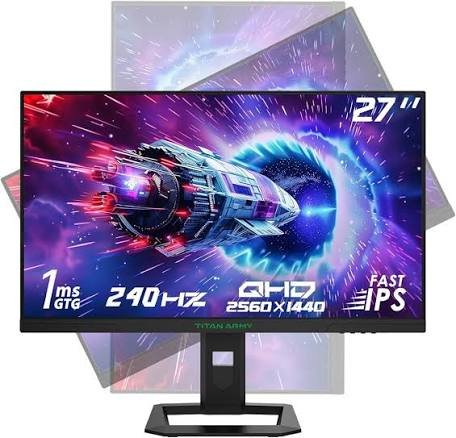
Titan Army is a newer display brand that has built a reputation for punching above its weight class. The P2712V is a 27-inch 4K IPS panel that offers a remarkably capable specification at a significantly lower price than the Samsung or Alienware options. It’s not without compromises, but for buyers who want 4K gaming without the premium monitor price tag, it’s a serious contender.
Key Specifications
| Specification | Detail |
|---|---|
| Screen Size | 27 inches |
| Resolution | 3840×2160 (4K UHD) |
| Refresh Rate | 160Hz |
| Panel Type | IPS |
| Response Time | 1ms (GtG) |
| HDR | HDR400 |
| Peak Brightness | 400 nits (typical) |
| Contrast Ratio | 1,000:1 |
| Colour Gamut | 95% DCI-P3 |
| Curvature | Flat |
| Aspect Ratio | 16:9 |
| Adaptive Sync | G-SYNC Compatible, FreeSync Premium |
| Ports | 2× HDMI 2.1, 2× DisplayPort 1.4, 2× USB-A 3.0 |
| VESA Mount | 100×100mm |
| Dimensions (w/stand) | 614 × 475 × 195 mm |
| Weight | ~5.8 kg |
Design & Build Quality
The P2712V’s design is understated — no RGB, no aggressive styling. It looks functional rather than flashy. The stand is slimmer than the Samsung or Alienware models, and the overall build quality reflects the price point: adequate rather than impressive. Plastics feel a touch lightweight, and the base wobbles slightly more than ideal.
That said, the build is not poor for the price category. It’s simply honest about its tier.
Display Quality
IPS technology brings excellent viewing angles and naturally good colour accuracy to the P2712V. The display looks bright and punchy for an SDR panel, with consistent image quality across a wide viewing angle — something VA panels can’t match.
At 27 inches, 4K resolution delivers a high pixel density (163 PPI) that makes text and fine details in games look genuinely crisp. This is the sharpest-looking image of the group on a per-inch basis.
The contrast ratio of 1,000:1 is standard for IPS and represents the main area where the P2712V falls behind its more expensive rivals. Blacks look noticeably greyer in dark gaming conditions compared to VA panels or OLED.
Color Accuracy
IPS panels are traditionally strong here, and the P2712V is no exception. Out-of-the-box calibration is decent, and with basic calibration adjustments, delta E can be brought comfortably below 3. The 95% DCI-P3 coverage is competitive with monitors in higher price brackets.
HDR Performance
HDR400 certification brings the same caveat as the Dell S3222DGM: it’s a nominal improvement rather than a transformative one. The lack of local dimming and the 400 nit brightness ceiling mean HDR mode adds a bit of extra brightness to highlights, but won’t produce the contrast-driven impact of HDR on the Neo G8 or Alienware.
Gaming Performance
4K at 160Hz is the P2712V’s headline gaming credential, and it’s meaningful. For most gamers running 4K content, 160Hz provides an excellent balance of visual quality and frame rate. The IPS panel’s fast response at 1ms handles motion capably for most game genres.
Refresh Rate & Response Time
160Hz sits between the standard 144Hz and the 240Hz of the Neo G8. In practice, the difference between 160Hz and 240Hz is less impactful than the jump from 60Hz to 160Hz. For most gaming genres, 160Hz feels very smooth and responsive.
Motion Handling
IPS panels handle motion well without the dark smearing associated with VA. The result is clean motion across all scene types. Backlight strobing isn’t available, but at 160Hz, it’s rarely missed.
Connectivity
Two HDMI 2.1 ports and two DisplayPort 1.4 connections represent excellent connectivity for this price tier. Both PS5 and Xbox Series X can connect via HDMI 2.1 for 4K120Hz support, which is a notable advantage over some more expensive competitors.
Ergonomics
The stand provides height and tilt adjustment, but lacks swivel. The overall ergonomic range is limited compared to premium monitors. VESA mounting is available as a workaround.
Console Gaming Performance
The dual HDMI 2.1 ports make the P2712V a capable console gaming monitor. 4K120Hz from PS5 or Xbox Series X works well. The lower brightness limits HDR impact, but the 4K image quality on a 27-inch panel is sharp and detailed.
Productivity Performance
IPS technology and 4K resolution make the P2712V a solid productivity monitor. Wide viewing angles mean the image holds up when working in different postures. Colour accuracy is good enough for design work at this price point.
Real-World Experience
The P2712V does what it promises: delivers 4K gaming at a price that makes it accessible. The compromises — limited HDR, weaker contrast, modest build quality — are consistent with its price positioning. For buyers stepping up from 1080p or 1440p to 4K for the first time, it’s a positive surprise.
It’s not the monitor you’ll brag about. It’s the one that quietly delivers value every session.
Pros
- 4K resolution at a genuinely accessible price
- IPS panel with wide viewing angles
- Dual HDMI 2.1 for full console bandwidth
- 95% DCI-P3 colour coverage
- 160Hz refresh for smooth gameplay
Cons
- HDR400 delivers minimal real HDR benefit
- Lower contrast ratio compared to VA alternatives
- Build quality reflects the lower price point
- Ergonomic stand lacks swivel
- No local dimming
Best For
First-time 4K buyers, value-seeking gamers, console gamers on a budget, and users who prioritise accuracy over contrast.
Who Should Avoid It
Those wanting impactful HDR, buyers who need deep blacks for dark-scene gaming, or users who prioritise premium build quality.
Final Verdict
The Titan Army P2712V is the best budget entry into 4K gaming monitors in 2026. It makes sensible compromises to hit its price point without sacrificing the core 4K experience. Rating: 78/10
Full Gaming Monitor Comparison Table
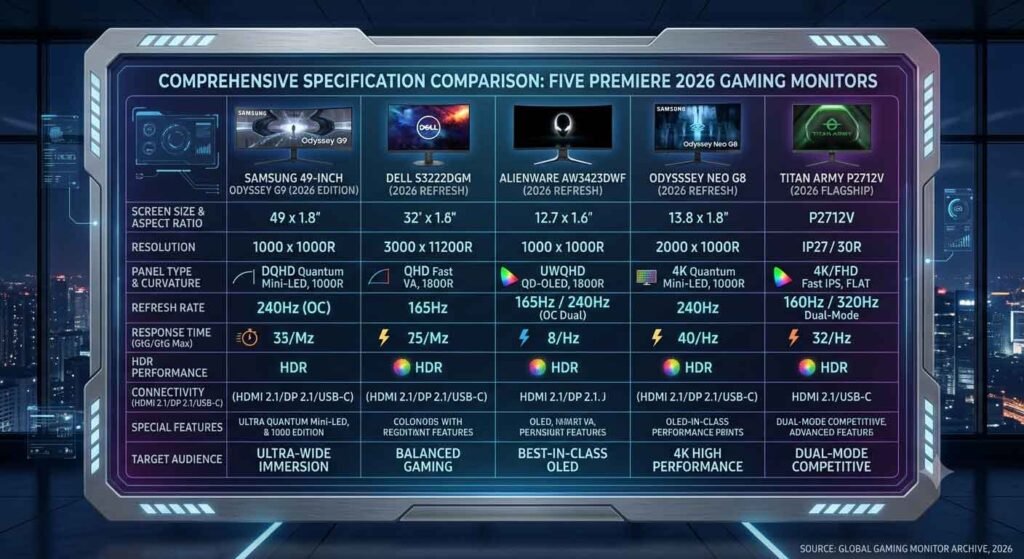
| Feature | Samsung Odyssey G9 (49″) | Dell S3222DGM | Alienware AW3423DWF | Samsung Odyssey Neo G8 | Titan Army P2712V |
|---|---|---|---|---|---|
| Display Size | 49″ | 32″ | 34″ | 32″ | 27″ |
| Resolution | 5120×1440 | 2560×1440 | 3440×1440 | 3840×2160 | 3840×2160 |
| Refresh Rate | 240Hz | 165Hz | 165Hz | 240Hz | 160Hz |
| Response Time | 1ms | 1ms | 0.1ms | 1ms | 1ms |
| Panel Type | VA | VA | QD-OLED | VA Mini-LED | IPS |
| HDR | HDR1000 | HDR400 | True Black 400 | HDR2000 | HDR400 |
| Peak Brightness | 1,000 nits | 400 nits | 1,000 nits (peak) | 2,000 nits | 400 nits |
| Contrast Ratio | 2,500:1 | 3,000:1 | Infinite | Effective Infinite | 1,000:1 |
| HDMI 2.1 | ✗ | ✗ | ✗ | ✓ (×2) | ✓ (×2) |
| DisplayPort | DP 1.4 (×2) | DP 1.4 (×1) | DP 1.4 (×1) | DP 1.4 (×1) | DP 1.4 (×2) |
| USB Hub | ✓ (4× USB-A) | ✓ (4× USB-A) | ✓ (4× USB-A + USB-C) | ✓ (3× USB-A + USB-C) | ✓ (2× USB-A) |
| Adaptive Sync | G-SYNC + FreeSync | G-SYNC + FreeSync | G-SYNC + FreeSync | G-SYNC + FreeSync | G-SYNC + FreeSync |
| Curvature | 1000R | 1800R | 1800R | 1000R | Flat |
| Gaming Score | 90 | 82 | 94 | 96 | 78 |
| Productivity | Excellent | Good | Very Good | Very Good | Good |
| Console Score | Poor | Fair | Fair | Excellent | Good |
| Value | Fair | Excellent | Good | Good | Excellent |
| Overall Rating | 9.0/10 | 8.2/10 | 9.4/10 | 9.6/10 | 7.8/10 |
Which Gaming Monitor Should You Buy?
Image alt text: Infographic showing which gaming monitor suits different gamer types
Choosing the right gaming monitor isn’t about buying the most expensive option — it’s about matching the display to your setup, your games, and your habits. Here’s a clear breakdown.
Best Overall: Samsung Odyssey Neo G8
The Neo G8 wins overall because it makes fewer compromises than anything else in this group. 4K, 240Hz, HDMI 2.1, and HDR2000 on one display means you’re covered for PC gaming, console gaming, and everything in between. If you can afford one monitor that does everything well, this is it.
Best 4K Gaming Monitor: Samsung Odyssey Neo G8
Again, the Neo G8. 3840×2160 resolution at 240Hz with Mini-LED HDR2000 is the current benchmark for 4K gaming. Nothing on this list matches its combination of sharpness and speed.
Best Ultrawide Monitor: Samsung Odyssey G9 (49″)
If immersion is your primary goal and you have the desk space, GPU horsepower, and budget to support it, the G9’s 49-inch 5120×1440 canvas is unrivalled. Just make sure your favourite games support 32:9 natively.
Best OLED Gaming Monitor: Alienware AW3423DWF
QD-OLED delivers image quality that Mini-LED and standard IPS simply cannot match in terms of pure contrast and colour saturation. If you play in a controlled lighting environment and want the most cinematic gaming experience possible, the AW3423DWF is your display.
Best Budget Gaming Monitor: Dell S3222DGM
For value, the S3222DGM is the clear winner. It provides a 32-inch curved gaming experience with 165Hz and solid contrast at a price that leaves budget for the GPU to drive it.
Best Competitive Gaming: Samsung Odyssey Neo G8
240Hz at 4K with 1ms response time gives the Neo G8 the edge for competitive gaming. That said, if you’re a true esports competitor prioritising frame rate above all, a 360Hz 1080p or 1440p monitor (not in this guide) would be more appropriate.
Best Story-Based Games: Alienware AW3423DWF
Infinite contrast, near-instantaneous pixel response, and extraordinary colour saturation make QD-OLED the perfect technology for atmospheric single-player titles. Dark Souls, the Witcher series, Cyberpunk 2077 — all look genuinely revelatory on a QD-OLED display.
Best Console Gaming: Samsung Odyssey Neo G8
Dual HDMI 2.1 with 4K120Hz and VRR support makes the Neo G8 the top choice for PS5 and Xbox Series X gaming. Console games look genuinely stunning at 4K on a 32-inch 1000R curved display.
Best Productivity & Gaming: Alienware AW3423DWF
The 34-inch 21:9 ultrawide format with accurate colour and infinite contrast serves both gaming and professional creative work extremely well. Designers, video editors, and hybrid users will find the AW3423DWF a compelling everyday display.
Best Value for Money: Titan Army P2712V
For budget buyers who want 4K gaming without overspending, the P2712V delivers the core 4K experience with dual HDMI 2.1 at a price that represents genuine value.
Gaming Monitor Setup & Maintenance Tips
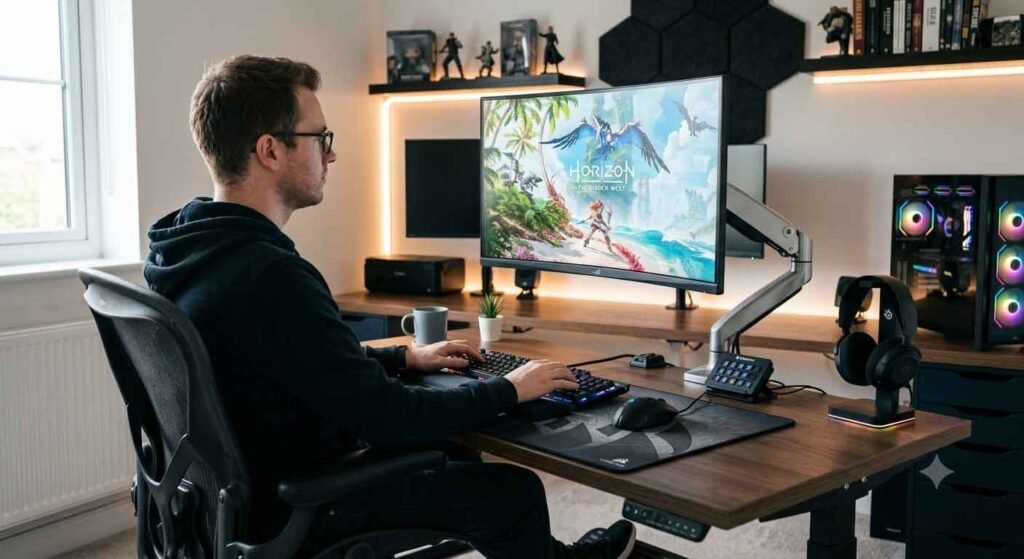
Getting the most from your gaming monitor goes beyond choosing the right panel. Setup and care make a meaningful difference.
Correct Monitor Position
Your eyes should be level with the top third of the screen. Position the monitor approximately an arm’s length from your face — typically 60–80cm for 27–32 inch displays. Tilting the screen back 10–15 degrees can reduce neck strain. For ultrawide monitors, ensure you’re centred and that the curved edge of the display aligns naturally with your field of view.
Display Calibration
Most gaming monitors benefit from basic calibration. Adjust brightness to match room lighting: a monitor that’s too bright in a dark room causes eye fatigue quickly. Set contrast to the midpoint and adjust from there. If you have a hardware colorimeter, a measured calibration can significantly improve colour accuracy.
HDR Settings
Enable HDR in Windows or your console’s display settings if your monitor supports it. Adjust the HDR brightness slider to match your room — HDR at maximum brightness in a dark room can be uncomfortably intense. Within individual games, look for HDR calibration screens that ask you to set black point and peak highlight levels.
Refresh Rate Settings
Always verify your refresh rate setting in the display driver. Windows may default to 60Hz even on a 240Hz monitor. In NVIDIA or AMD Radeon settings, confirm the output resolution and refresh rate match your monitor’s native spec. Enable G-SYNC or FreeSync through the control panel.
Preventing OLED Burn-In
For OLED and QD-OLED monitors, burn-in risk is real but manageable. Avoid leaving a static image (such as a game HUD with a fixed minimap or health bar) on screen for hours at full brightness. Enable pixel shift features in the monitor’s OSD. Use the built-in screen saver features. When not gaming, reduce brightness or turn the display off.
Vary your content and use game-specific settings (like inventory screens) on a timer. OLED burn-in typically takes years of sustained misuse to develop — reasonable care avoids it entirely for most users.
Cleaning the Screen
Use a soft microfibre cloth slightly dampened with distilled water. Never spray directly onto the panel. Avoid paper towels, tissues, or any abrasive material. For stubborn marks, isopropyl alcohol (70%) on a microfibre cloth can be used sparingly. Glossy OLED panels attract fingerprints — budget for regular cleaning.
Cable Management
Routing cables through stand cable channels where available keeps the setup tidy and reduces desk clutter. Consider using cable clips or velcro ties to bundle cables behind the monitor. For ultra-clean setups, a short HDMI or DisplayPort cable at the back of the monitor combined with a longer cable run behind the desk works well.
Firmware Updates
Some monitors receive firmware updates that fix colour calibration, improve local dimming algorithms, or resolve motion artefacts. Check the manufacturer’s support page periodically for your monitor model. Samsung Odyssey monitors in particular have received meaningful firmware improvements post-launch.
Eye Care Settings
Most gaming monitors include a low blue light mode (sometimes called Eye Saver, Night Mode, or similar). For long sessions, enabling this after dark reduces eye fatigue. If your monitor supports flicker-free operation, verify it’s enabled — traditional CCFL backlight flicker has been phased out in modern monitors but some backlight strobing modes reintroduce it intentionally.
Take regular screen breaks: the 20-20-20 rule (every 20 minutes, look at something 20 feet away for 20 seconds) is a simple and effective way to reduce eye strain.
Extending Monitor Lifespan
Reduce brightness to comfortable levels rather than running at maximum — this extends backlight life and reduces heat. Power off the display when not in use rather than leaving it on standby. For OLED panels, use screen savers and pixel refresh cycles (often found in OSD menus and recommended after every 1,000 hours of use).
Frequently Asked Questions
What is the best gaming monitor in 2026?
The Samsung Odyssey Neo G8 is our top pick for best gaming monitor in 2026, thanks to its 4K 240Hz specification, HDR2000 brightness, and dual HDMI 2.1 ports for console support. For the best image quality regardless of other factors, the Alienware AW3423DWF’s QD-OLED panel is unmatched.
Is OLED better than IPS for gaming?
For image quality — particularly contrast and black levels — OLED is superior. It also has faster pixel response times. However, OLED monitors carry a burn-in risk with static content, have lower sustained brightness than Mini-LED alternatives, and are more expensive. IPS panels offer better brightness, no burn-in risk, and lower cost. The best choice depends on your priorities and lighting environment.
Is Mini-LED worth buying?
Yes, particularly at the HDR1000 and HDR2000 tier. Mini-LED brings local dimming precision that dramatically improves HDR performance compared to standard edge-lit panels. The Samsung Odyssey Neo G8 demonstrates how good Mini-LED can be. At HDR400 price points, the improvement is less dramatic.
Is 240Hz worth it over 165Hz?
For most gamers, the difference between 165Hz and 240Hz is noticeable but not dramatic. If you play competitive games like CS2, Valorant, or Apex Legends at high frame rates, 240Hz offers a real advantage. For story-driven gaming or general PC use, 165Hz is entirely satisfying.
What monitor size is best for gaming?
27 inches is the most commonly recommended size for desk gaming, offering an immersive viewing area without requiring excessive head movement. 32 inches works well when sitting slightly further back. Ultrawide formats at 34 and 49 inches are best when you prioritise immersion over competitive performance.
Is ultrawide good for FPS games?
It depends. Many competitive FPS titles either don’t support ultrawide natively, or limit the field-of-view advantage to prevent competitive unfairness. Games like CS2 often don’t benefit from ultrawide in competitive modes. However, story-driven first-person games like Doom Eternal or Bioshock Infinite look spectacular in 21:9.
Which monitor is best for PS5?
The Samsung Odyssey Neo G8 is the best monitor in this guide for PS5, offering dual HDMI 2.1 ports, 4K 120Hz with VRR support, and HDR2000 performance to take full advantage of the PS5’s visual output.
Which monitor is best for Xbox Series X?
The same recommendation applies: the Samsung Odyssey Neo G8 handles Xbox Series X output at 4K 120Hz via HDMI 2.1 with full VRR support. The result is an excellent console gaming experience on a 32-inch 4K panel.
What is HDR and do I need it?
HDR (High Dynamic Range) is a display technology that extends the range of brightness and colour beyond standard displays. In practice, good HDR looks more lifelike — brighter highlights, deeper shadows, and more vivid colours. HDR400 provides a minimal improvement. HDR1000 and above (particularly with local dimming) produces a genuinely impactful upgrade. If you’re buying a premium monitor, seek at least HDR600.
What response time is best for gaming?
For competitive gaming, 1ms GtG is sufficient. OLED’s 0.1ms is the fastest currently available and produces visibly cleaner motion. Response times above 4ms can cause noticeable ghosting in fast content. Anything at or below 1ms will satisfy the vast majority of gaming scenarios.
Should I buy a 1440p or 4K gaming monitor?
1440p is the practical choice for most gamers in 2026. It runs well on mid-range GPUs, looks sharp at 27–32 inches, and allows high refresh rates more easily than 4K. 4K is the aspirational choice — stunning at native resolution, but demanding on hardware. If your GPU is a current-gen high-end card (RTX 4080 / 4090 equivalent), 4K is worthwhile. For mid-range GPUs, 1440p is the better match.
How long do gaming monitors last?
A quality gaming monitor will typically last 7–10 years before hardware components show meaningful degradation. LED backlights lose brightness gradually over time — often measurable after 10,000–15,000 hours of use. OLED panels have theoretical concerns around burn-in and half-life brightness, though modern OLED monitors have improved significantly in these areas. Proper care and moderate brightness settings extend lifespan.
Are curved monitors better for gaming?
Curved monitors offer improved immersion and reduce the sensation that screen edges are further from your eyes than the centre — which is physically true on a flat panel at close viewing distances. For single-player gaming, most curved display owners find them more comfortable and engaging. For productivity work involving precise straight lines or colour accuracy at the edges, flat panels are generally preferred.
What is Adaptive Sync and do I need it?
Adaptive Sync (including NVIDIA G-SYNC and AMD FreeSync) synchronises your monitor’s refresh rate with the number of frames your GPU is producing. The result: no screen tearing, reduced stuttering, and a smoother experience at variable frame rates. It is strongly recommended for gaming — any monitor that claims G-SYNC Compatible or FreeSync Premium support will benefit AMD and NVIDIA GPU users.
Can a gaming monitor be used for work and productivity?
Absolutely. Modern gaming monitors — particularly those with good colour accuracy, wide viewing angles (IPS), and ergonomic stands — serve productivity tasks very well. Many are excellent for creative work like graphic design and photo editing. The high refresh rates and low response times that benefit gaming don’t hurt productivity. If you want a single monitor that does everything, any of the five monitors in this guide can handle both roles, with the Alienware AW3423DWF and Samsung Odyssey G9 49″ being the strongest productivity options due to their screen real estate and colour accuracy.
Final Verdict
Five gaming monitors, five different users. The right choice depends entirely on what you want most.
The Samsung Odyssey Neo G8 earns the overall recommendation. It’s the only monitor in this group that doesn’t ask you to make a meaningful sacrifice. 4K at 240Hz, HDR2000 brightness, dual HDMI 2.1 for consoles, and an image quality that impresses both in competitive play and cinematic single-player settings — it covers every base a serious gamer could ask for.
The Alienware AW3423DWF is the monitor for those who care most deeply about image quality. QD-OLED technology produces blacks and colours that IPS and VA panels — regardless of price — cannot replicate. If you play story-driven games in a controlled lighting environment and want the most cinematic experience on your desk, this is your display.
The Samsung Odyssey G9 49″ is for a specific type of user: someone who wants maximum immersion above all else, has the desk space, the GPU, and the budget, and primarily plays games that support the super-ultrawide format. In that context, it’s extraordinary. Outside that context, it’s a very large compromise.
The Dell S3222DGM proves that gaming monitor excellence doesn’t require a premium price. It does what matters — high refresh rate, decent contrast, good size — without unnecessary extras that inflate cost. For gamers who want a solid upgrade without financial strain, it remains one of the best value propositions in 2026.
The Titan Army P2712V gets budget-conscious buyers into 4K. The compromises in HDR and contrast are real, but the core 4K gaming experience is there. For anyone stepping up to 4K for the first time without wanting to spend premium monitor prices, it’s a genuinely good starting point.
Whatever your choice, the right gaming monitor will make your games look, feel, and respond better than a suboptimal panel ever could. These five options represent the range of what’s excellent in 2026 — from budget-accessible to category-defining premium. One of them is the right fit for your setup.
Suggested Internal Links:
- [Best Gaming GPUs to pair with your new monitor]
- [Gaming Chair Buying Guide]
- [Best Gaming Headsets]
- [How to Calibrate Your Monitor for Gaming]
Suggested External Authority Sources:
- RTINGS.com — Independent monitor measurement and calibration data
- DisplaySpecifications.com — Full specification database
- VESA DisplayHDR Standards — displayhdr.org
- NVIDIA G-SYNC Compatible Monitor List — nvidia.com