
Table of Contents
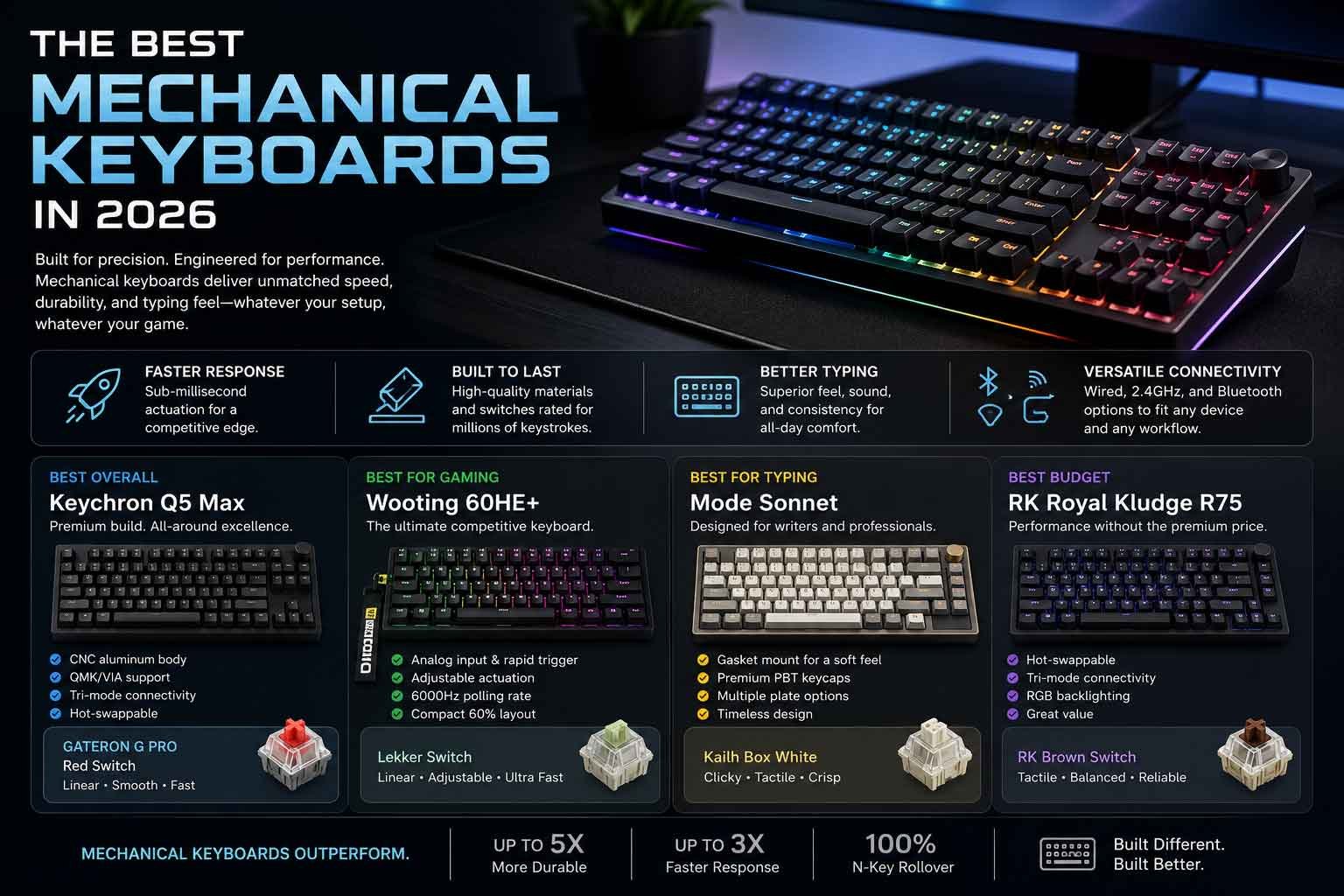
There’s a reason mechanical keyboards have gone from a niche hobbyist obsession to a mainstream desk staple. People have simply gotten tired of mushy, imprecise membrane boards that feel like typing on a wet sponge.
A quality mechanical keyboard changes things noticeably. Each keypress is deliberate. The feedback is satisfying. You can feel exactly when a key registers, which matters whether you’re mid-raid, writing a research paper, or grinding through a spreadsheet at 11 PM.
So what makes mechanical keyboards different from the rubber dome boards most people start with?
The core difference is simple. Membrane keyboards use a rubber layer that collapses under each key to complete a circuit. That creates a squishy, inconsistent feel with little tactile feedback. Mechanical keyboards instead use individual switches beneath every key each one with its own spring, stem, and actuation point. The result is a crisper, more reliable typing experience with significantly longer lifespan.
Choosing the right keyboard matters more than most people expect. The wrong switch can cause fatigue during long typing sessions. The wrong size layout can cramp your desk. The wrong connectivity option can introduce unwanted latency in competitive gaming. These aren’t small details they affect how you actually feel using your keyboard for hours every day.
This guide is written for anyone making a serious keyboard purchase in 2026: gamers who want every competitive edge, writers and programmers who spend hours at the keys, and enthusiasts who want the best typing experience money can buy.
Every keyboard reviewed here has a different strength. None of them are perfect for everyone. That’s intentional because the best keyboard for you depends on how you actually use it.
Quick Comparison Table
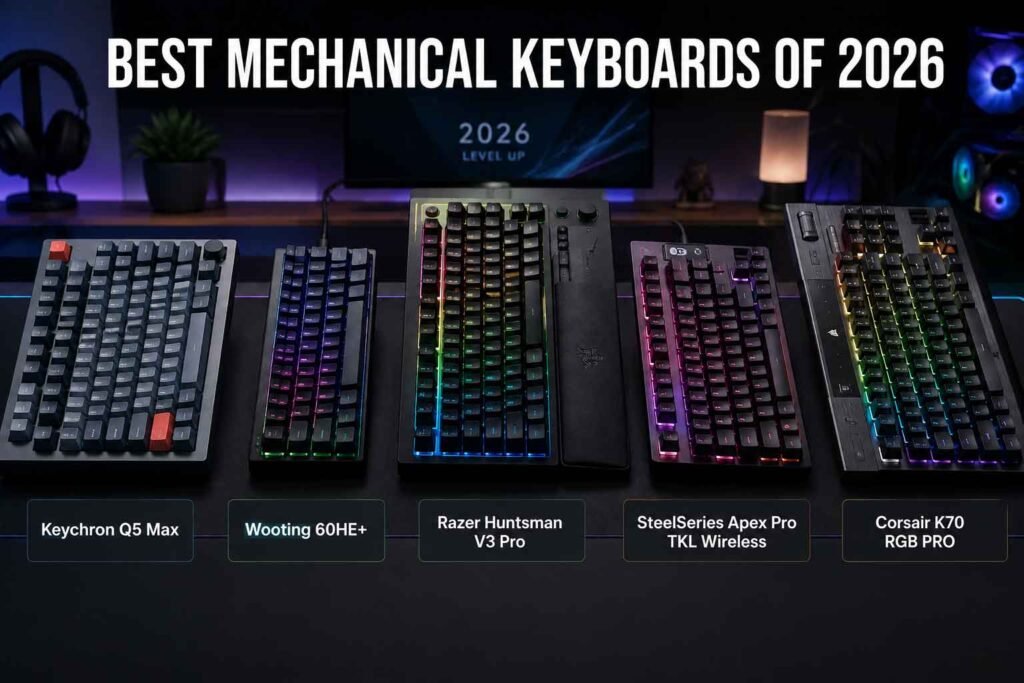
| Keyboard | Best For | Switch Type | Wireless | Hot-Swap | Layout | RGB | Price | Rating |
|---|---|---|---|---|---|---|---|---|
| Keychron Q5 Max | Premium Typing & Customization | Keychron K Pro (Brown/Red/Clicky) | Yes (BT 5.1 + 2.4GHz) | Yes (South-facing) | 96% | Yes | $$$ | 9.4/10 |
| Wooting 60HE+ | Competitive FPS Gaming | Lekker Switches (Hall Effect) | No (Wired only) | Yes | 60% | Yes | $$$ | 9.5/10 |
| Razer Huntsman V3 Pro | Gaming + Streaming | Razer Analog Optical | No (Wired only) | No | Full Size | Yes | $$$$ | 9.1/10 |
| SteelSeries Apex Pro TKL Wireless | Wireless Gaming | OmniPoint 2.0 Magnetic | Yes (2.4GHz + BT) | No | TKL | Yes | $$$$ | 9.2/10 |
| Corsair K70 RGB PRO | Mainstream Gaming | Cherry MX Speed Silver | No (Wired only) | No | Full Size | Yes | $$ | 8.6/10 |
What to Look for Before Buying a Mechanical Keyboard
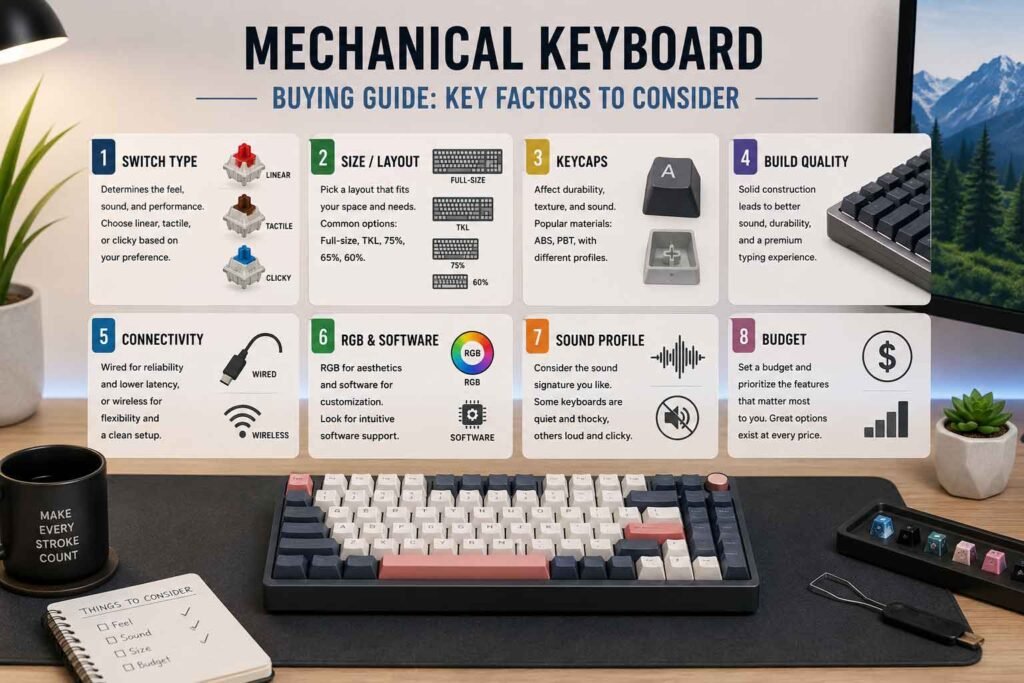
Before dropping money on a keyboard, it’s worth understanding what actually separates a great board from a mediocre one. Here’s a breakdown of every factor that genuinely matters.
Build Quality
The chassis material makes a major difference in feel and durability. Aluminum keyboards like the Keychron Q5 Max feel solid and premium, dampening sound naturally. Plastic bodies are lighter but can flex or rattle under heavy use. Gasket-mounted designs where the PCB sits on silicone gaskets rather than screwing directly into the case add a softer, bouncier typing feel that many enthusiasts prefer.
Look for keyboards with a sturdy base plate that doesn’t flex when you press down in the middle. A little wobble is acceptable; a board that creaks and bends under normal use is not.
Typing Feel
This is subjective, but it’s the thing you’ll notice every single session. Typing feel comes from the switch, the keycaps, the mounting style, and the acoustics all working together. A linear switch on a gasket-mounted aluminum board with PBT keycaps feels completely different from the same switch on a plastic tray-mount board with thin ABS caps.
If possible, try switches in person at a local keyboard meetup or electronics store before committing to a switch type.
Gaming Performance
Gaming keyboards live and die by their latency and actuation consistency. Polling rate determines how often the keyboard reports its state to your PC 1000Hz means 1ms reporting intervals, while some boards now offer 4000Hz or 8000Hz for imperceptibly faster input. For most games, 1000Hz is sufficient. For competitive FPS where every millisecond matters, higher polling rates paired with low actuation force switches give a real edge.
Switch Type
Switches fall into three main categories:
- Linear switches – Smooth travel from top to bottom, no tactile bump, preferred by gamers and speed typists. Examples: Cherry MX Red, Gateron Yellow, Wooting Lekker.
- Tactile switches – A noticeable bump mid-travel that tells your fingers a keypress registered without bottoming out. Great for typists. Examples: Cherry MX Brown, Topre, Holy Pandas.
- Clicky switches – Tactical bump plus an audible click sound. Loved by typists who want audio confirmation. Not ideal for shared offices. Examples: Cherry MX Blue, Kailh BOX White.
Sound Profile
Some people want a quiet, thocky board that sounds like rain on a library window. Others want the crisp clack of clicky switches. Sound comes from switch type, case material, mounting style, and foam dampening layers inside the keyboard. Most premium boards in 2026 include PCB foam and plate foam as standard, which cuts out hollow pinging sounds significantly.
Hot-Swap Support
Hot-swap means you can pull out switches and install new ones without soldering. For anyone who likes experimenting with different switch feels or who might want to swap to a new switch years down the line this is an extremely valuable feature. Boards without hot-swap lock you into whatever switches came in the box permanently.
Wireless Connectivity
Modern wireless keyboards for gaming have largely solved latency issues. 2.4GHz dongles like Logitech’s LIGHTSPEED or SteelSeries’ Quantum 2.0 deliver wired-equivalent latency in practice. Bluetooth is better for multi-device switching and office use but introduces slightly more latency. For serious competitive gaming, a wired connection or 2.4GHz dongle remains the gold standard.
Battery Life
For wireless keyboards, battery life varies wildly from around 15 hours with heavy RGB to over 200 hours with RGB off. If you forget to charge regularly, look for boards with USB-C charging so you can game wired while the battery tops up.
Software Customization
Keyboard software ranges from excellent to genuinely painful. iCUE (Corsair), Razer Synapse, and SteelSeries Engine are feature-rich but can be bloated. Keychron’s Via/QMK compatibility gives near-unlimited customization without any required software installation. Wooting’s software is purpose-built for gaming and is among the cleanest in the industry.
RGB Lighting
RGB is either the most important thing on your list or completely irrelevant. If you care about it: look for per-key RGB (individual LED under each key), not just underglow. Check whether the software lets you create custom effects or sync with other peripherals.
Keycap Quality
Keycap quality comes down to material and printing method. ABS plastic keycaps are cheaper but develop a shiny “shine” over time. PBT plastic is harder, more durable, and maintains a matte texture for years. Double-shot keycaps (two layers of plastic fused together) mean legends never fade. Dye-sublimated legends on PBT are also excellent and long-lasting.
Stabilizers
Every key wider than 1 unit (space bar, shift, enter, backspace) uses stabilizers to keep the key from wobbling. Bad stabilizers rattle noticeably. Good ones are smooth and quiet. Pre-lubed stabilizers from the factory save you a lot of work; un-lubed or cheaply-lubed ones are the first thing enthusiasts replace.
Layout Size
| Layout | Keys Removed | Best For |
|---|---|---|
| Full Size | Nothing removed | Numpad users, data entry |
| TKL (Tenkeyless) | Numpad removed | Balanced, most popular |
| 75% | Numpad + some nav cluster | Space saving with function row |
| 65% | Above + function row | Minimal, arrow keys kept |
| 60% | Everything below function row | Ultra compact, desk space priority |
Latency & Polling Rate
1000Hz polling is standard and fine for most users. 4000Hz and 8000Hz options are available on premium gaming boards. Unless you’re playing at a truly elite competitive level, the difference is negligible but it’s there.
Comfort & Wrist Support
Keyboard angle matters more than most people think. Many keyboards ship with feet that tilt the board upward but ergonomics often favor a neutral or slightly negative tilt. A wrist rest helps reduce strain during long sessions. Some keyboards have adjustable feet for different angles; others are fixed.
Mac & Windows Compatibility
Most keyboards work on both platforms with minor key mapping differences. Boards with dedicated Mac layouts or software that lets you remap modifier keys cleanly (Command vs. Ctrl) save a lot of frustration if you switch between systems.
Upgrade Potential
Hot-swap, QMK/Via support, and a standard switch footprint all increase a keyboard’s long-term upgrade potential significantly. A board you can customize, re-switch, and remap five years later is a much better long-term investment than a closed ecosystem board.
Value for Money
Price doesn’t always equal performance. Some $130 boards outperform $200 alternatives in their specific use case. The goal isn’t to buy the most expensive keyboard it’s to buy the right keyboard for how you actually use it.
Our Top 5 Mechanical Keyboard Picks
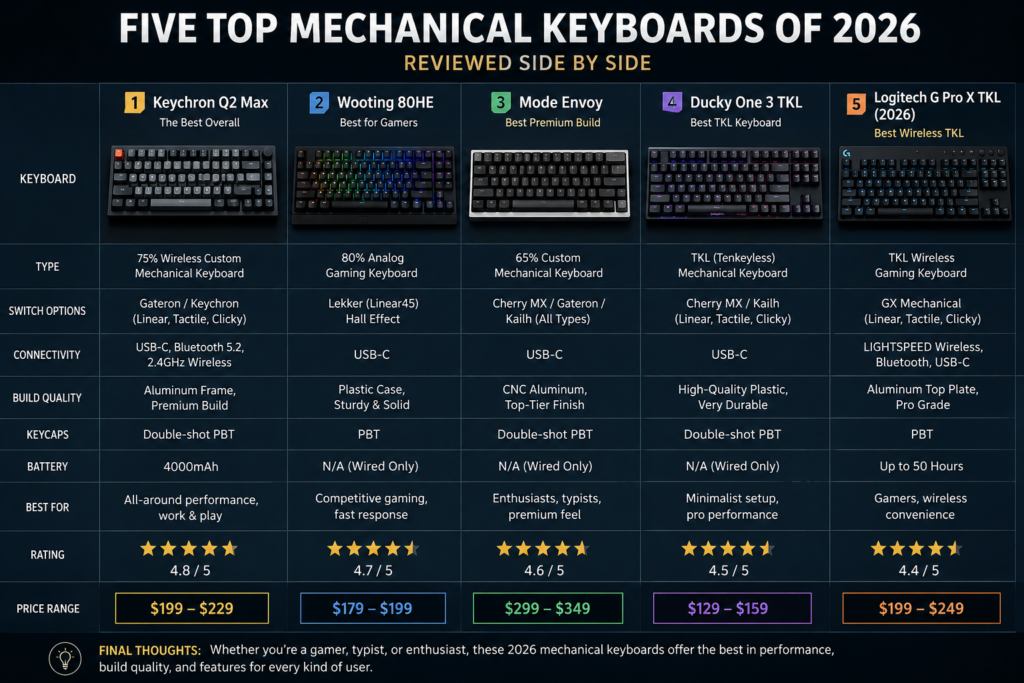
1. Keychron Q5 Max
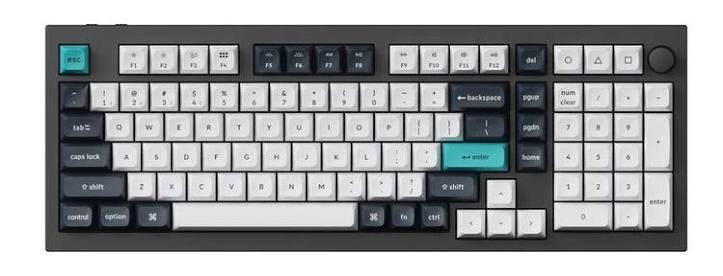
Overview
The Keychron Q5 Max sits at an interesting intersection: it’s genuinely premium without being unobtainable, and it appeals equally to serious typists and keyboard enthusiasts who want something they can mod and tweak for years. It’s the kind of keyboard that makes you look forward to sitting down at your desk.
This is Keychron’s most refined Q-series offering a 96% layout aluminum board with wireless connectivity added to the previously wired-only Q5. The wireless addition changed the game for this board significantly.
Key Specifications
| Specification | Detail |
|---|---|
| Layout | 96% (full size minus gaps) |
| Case Material | CNC machined aluminum |
| Mounting Style | Gasket mount |
| Switches (included) | Keychron K Pro Red / Brown / Clicky |
| Hot-Swap | Yes (South-facing 5-pin) |
| Connectivity | Wired USB-C / Bluetooth 5.1 / 2.4GHz |
| Battery | 4000mAh |
| RGB | Yes (south-facing per-key) |
| Software | Via / QMK compatible |
| Weight | ~1.8kg |
| Price | ~$199–$229 |
Design & Build Quality
The Q5 Max is built like a paperweight in the best possible way. The CNC machined aluminum case is dense, the feet are stable, and there’s no flex anywhere in the body. The gasket mount gives keystrokes a cushioned, slightly bouncy feel that premium keyboards are known for.
It comes in multiple colorways (Carbon Black, Carbon Grey, Navy Blue, Shell White) and looks refined without trying too hard. The 96% layout fits a numpad in almost the same footprint as a TKL, which makes it remarkably practical for people who actually use their numpad but hate giving up desk space.
Typing Experience
This is where the Q5 Max genuinely shines. Gasket mounting, pre-lubed stabilizers, and the included K Pro switches create a deeply satisfying typing experience. Keystrokes feel cushioned and consistent. The board doesn’t ping or echo thanks to multiple layers of internal foam dampening.
Even out of the box, the stabilizers are noticeably better than what you’d find on most mass-market keyboards. There’s minimal rattle on the space bar, and the larger modifier keys feel smooth.
If you swap the stock switches for something like Boba U4T or Gateron G Pro 3.0 switches (both compatible), the typing experience improves even further.
Gaming Performance
The Q5 Max isn’t a gaming-first keyboard, but it handles gaming well. The polling rate tops out at 1000Hz, which is fine for the vast majority of players. Latency over 2.4GHz is low enough that you won’t notice a difference from wired in practice.
Competitive FPS players who need 4000Hz+ polling or analog input features won’t find them here. But for RPGs, strategy games, MMOs, and casual FPS play, this board is perfectly capable.
Switch Technology
K Pro switches are Keychron’s own branded switch line manufactured by Gateron. They’re smooth, well-built, and a good starting point. The hot-swap socket accepts most 3-pin and 5-pin switches, giving you freedom to experiment.
Sound & Acoustics
Deep, thocky, and satisfying the Q5 Max has one of the best out-of-box sound profiles in this price range. The combination of gasket mounting, case foam, plate foam, and PCB foam creates a sound that hobbyists describe as “full” and non-hollow.
You can push it further by adding PE foam under the PCB (the “PE mod”) for an even more dampened sound, but most users won’t need to.
Connectivity
Three connection modes: wired USB-C, Bluetooth 5.1 (up to three devices), and 2.4GHz wireless. Switching between devices is smooth, though there’s a brief moment of reconnection when switching. The 2.4GHz receiver is compact and easy to manage.
RGB & Software
RGB works well through the via software and via QMK firmware. The south-facing LEDs mean they’re slightly less visible with tall keycaps, but it’s not a significant issue for most users. Via gives you complete control over RGB effects, key remapping, and macros without needing any installed software everything runs in your browser.
Battery Life
With RGB at moderate brightness, expect around 40–60 hours. With RGB completely off, Keychron claims up to 200 hours, which is excellent. Charging via USB-C is convenient and lets you use the board wired while charging.
Pros
- Exceptional build quality for the price
- Outstanding out-of-box sound and feel
- True hot-swap with 5-pin support
- Via/QMK compatibility for deep customization
- Versatile connectivity with reliable 2.4GHz wireless
- 96% layout retains numpad in compact footprint
Cons
- Heavy (not ideal for travel or LAN parties)
- 1000Hz polling rate maximum (no high-polling gaming mode)
- South-facing RGB is slightly less visible through taller keycaps
- Software-free customization has a small learning curve for beginners
Best For
Writers, programmers, and enthusiasts who want a premium-feeling, customizable keyboard that works well both at a desk and occasionally wireless. People who appreciate the numpad without sacrificing much desk space.
Who Should Avoid It
Competitive FPS gamers who need 4000Hz+ polling or analog input features. Anyone who prefers ultra-light, portable keyboards. People who want a pure gaming-first experience.
Final Verdict
The Keychron Q5 Max is one of the most well-rounded keyboards available in 2026. It’s not the fastest gaming keyboard, and it won’t satisfy every niche enthusiast use case but as a premium daily driver that types beautifully, connects flexibly, and can be customized endlessly, it’s hard to beat at its price point.
Rating: 9.4/10
2. Wooting 60HE+
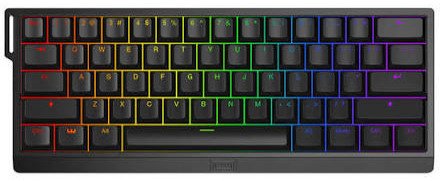
Overview
If you care about competitive gaming at all, you’ve probably already heard about Wooting. The 60HE+ isn’t just a mechanical keyboard it represents an entirely different approach to how keyboards interact with games.
The Hall Effect Lekker switches inside this board use magnets instead of physical contacts to detect key position, enabling “analog” input at every point along each keypress. This is called Rapid Trigger, and it changes how fast your character can respond to your inputs in games like CS2, Valorant, and other FPS titles.
Key Specifications
| Specification | Detail |
|---|---|
| Layout | 60% |
| Case Material | PC plate, aluminum weight |
| Mounting Style | Top mount |
| Switches | Lekker Linear (Hall Effect, 45g) |
| Hot-Swap | Yes (proprietary socket) |
| Connectivity | Wired USB-C only |
| Battery | N/A |
| RGB | Yes (per-key) |
| Software | Wootility (browser-based) |
| Polling Rate | Up to 3000Hz |
| Price | ~$175–$199 |
Design & Build Quality
The 60HE+ is compact and purposeful. The aesthetic is clean without being flashy a stark contrast to keyboards dripping in aggressive gamer styling. The PC plate gives keystrokes a slightly firmer feel, and the included aluminum bottom weight adds enough mass to keep the board from sliding on your desk.
At 60%, it’s genuinely compact. You lose dedicated arrow keys and function row (accessible via function layer instead), which takes adjustment if you’re coming from a larger layout.
Typing Experience
For a gaming-focused keyboard, the Wooting 60HE+ types surprisingly well. The Lekker switches have a smooth linear feel with consistent actuation. The PCB and plate combination produce a slightly higher-pitched sound compared to gasket-mounted boards, but it’s not harsh.
Typing is comfortable for extended sessions, though if typing feel is your top priority, the Q5 Max has a noticeable edge. The 60HE+ is built first for gaming, second for everything else.
Gaming Performance
This is where the Wooting 60HE+ is essentially in its own category.
Rapid Trigger technology allows the keyboard to detect key release at any point during the down-press and up-stroke not just at a fixed position. In practice, this means you can counter-strafe in CS2 with virtually zero input delay, dramatically improving movement accuracy in first-person shooters.
The 3000Hz polling rate (available when plugged into a USB 3.0 port) ensures input is reported to your PC more frequently than most competing keyboards. Combined with Rapid Trigger, the Wooting 60HE+ genuinely offers measurable performance advantages in competitive FPS games.
Switch Technology
Lekker switches are Hall Effect they use magnetic fields to determine switch position rather than mechanical contacts. This makes them essentially immune to contact debounce (a source of input delay in traditional switches) and gives them near-infinite configurability for actuation point and reset point.
You can set actuation to as low as 0.1mm or as high as 3.6mm through the Wootility software. You can set independent actuation and reset points per key. This level of control is genuinely unprecedented in mainstream gaming keyboards.
Sound & Acoustics
The 60HE+ has a moderately high-pitched, snappy sound profile. It’s not the deepest or most premium sounding keyboard on this list, but it’s not unpleasant. The compact form factor and top-mount construction mean it resonates differently from heavier boards.
If sound matters greatly to you, foam mods can help, though they require opening the board.
Connectivity
Wired only via USB-C. No wireless option is available for the 60HE+. Given that Wooting’s performance advantage is closely tied to consistent, low-latency wired communication, this is a deliberate design decision rather than a cost-cutting measure.
RGB & Software
Wootility is browser-based and genuinely excellent software. It’s clean, fast, and gives you granular control over Rapid Trigger settings, analog zones, DKS (Dynamic Keystroke macros), and full RGB customization all without needing an installed application.
RGB is per-key and looks solid, though it’s not the most vivid in the lineup.
Battery Life
N/A – wired only.
Pros
- Industry-leading Rapid Trigger technology
- Fully configurable actuation point per key (0.1mm–3.6mm)
- 3000Hz polling rate for ultra-responsive input
- Excellent browser-based software with no installation required
- Hot-swap compatible (Lekker switches)
- DKS (Dynamic Keystroke) macro system for advanced game inputs
Cons
- No wireless connectivity
- 60% layout has a learning curve for some users
- Not the most premium typing feel compared to enthusiast boards
- Proprietary Lekker socket limits switch options
- Higher pitch sound profile won’t satisfy acoustics-focused buyers
Best For
Competitive FPS and battle royale players who want every mechanical advantage possible. CS2, Valorant, Apex Legends, and similar game players will find the Rapid Trigger feature genuinely impactful. Anyone who games at a high level and wants the most configurable input device available.
Who Should Avoid It
People who need wireless connectivity. Anyone who primarily types rather than games. Buyers who want a full-size layout or numpad. Those uncomfortable with a 60% compact layout.
Final Verdict
The Wooting 60HE+ is the most technically advanced gaming keyboard you can buy in 2026. The Rapid Trigger technology isn’t marketing it’s a real, measurable advantage in competitive games. If FPS gaming is your priority, this board is essentially unmatched at its price point.
Rating: 9.5/10
3. Razer Huntsman V3 Pro
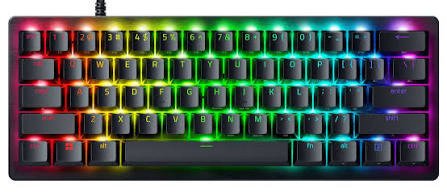
Overview
Razer’s Huntsman line has always been about speed. The V3 Pro takes that philosophy further by introducing analog optical switches similar in concept to Wooting’s approach, but implemented within Razer’s established ecosystem and full-size layout.
This is Razer’s most complete keyboard to date: full size, feature-rich, and with enough technical depth to satisfy serious gamers who don’t want to leave Razer’s ecosystem.
Key Specifications
| Specification | Detail |
|---|---|
| Layout | Full Size (100%) |
| Case Material | Aluminum top plate, ABS body |
| Mounting Style | Tray mount |
| Switches | Razer Analog Optical |
| Hot-Swap | No |
| Connectivity | Wired USB-C |
| Battery | N/A |
| RGB | Yes (per-key Chroma RGB) |
| Software | Razer Synapse 4 |
| Polling Rate | 8000Hz |
| Price | ~$229–$249 |
Design & Build Quality
The Huntsman V3 Pro looks unmistakably Razer. The aluminum top plate adds rigidity and a premium feel, while the ABS body keeps weight manageable for a full-size board. The cable is braided and exits from a channel on the underside that directs it cleanly to any side you prefer.
Build quality is solid overall, though it doesn’t match the heft and rigidity of the all-aluminum Q5 Max. The stabilizers are decent pre-lubed, with minimal rattle out of the box.
Typing Experience
The analog optical switches actuate at 1.5mm by default (adjustable via software) and have a linear feel. They’re smooth and fast, tuned for quick inputs rather than the deliberate, satisfying keystrokes a typist might prefer.
For long typing sessions, the Huntsman V3 Pro is comfortable but not exceptional. Writers and programmers who spend more time typing than gaming may find the Q5 Max or even the Wooting a more enjoyable experience.
Gaming Performance
Razer’s analog optical switches enable a Rapid Trigger-like feature called “Analog Mode,” letting you configure actuation point and reset point independently. Combined with 8000Hz polling the highest on this list the Huntsman V3 Pro is one of the fastest-responding keyboards available.
The full-size layout makes the function row, numpad, and navigation cluster all instantly accessible no layer switching required. For gamers who use a numpad in games or need those extra keys, this is a real practical advantage over the Wooting 60HE+.
Switch Technology
Razer’s Analog Optical switches use an infrared beam interrupted by the switch stem to detect keypress depth. Unlike Hall Effect switches (Wooting), optical switches actuate faster since there’s no physical contact and no debounce requirement. The analog detection layer adds configurable actuation like the Lekker switch.
Actuation is adjustable from 1.5mm to 3.5mm. The reset point is also configurable, enabling Rapid Trigger-style gameplay.
Sound & Acoustics
The Huntsman V3 Pro is on the louder, higher-pitched end of this lineup. Optical switches produce a distinctly different sound from traditional mechanical switches more of a clean snapping sound than the thock of spring-and-contact switches. It’s not unpleasant, but it’s not the deepest sound profile either.
Internal foam dampening helps, but acoustic enthusiasts will notice it’s louder than the Q5 Max or the Corsair K70.
Connectivity
Wired USB-C with a braided cable. No wireless option is available. At 8000Hz polling, wireless would introduce too much overhead anyway.
RGB & Software
Razer Synapse 4 is feature-complete, supporting Chroma RGB sync with a huge ecosystem of Razer peripherals, lighting effects, and game integration. The per-key RGB on the Huntsman V3 Pro is among the most vivid and customizable on this list.
Synapse requires installation and a Razer account, which some users find intrusive. The software itself is stable and well-maintained in 2026, though it’s heavier than browser-based alternatives like Wootility.
Battery Life
N/A – wired only.
Pros
- 8000Hz polling rate for ultra-responsive gaming
- Full-size layout with all keys accessible
- Adjustable analog actuation point per key
- Vivid Chroma RGB with cross-peripheral sync
- Braided cable with cable management
- Strong Razer ecosystem integration
Cons
- No hot-swap support
- Tray mount feels less premium than gasket mount
- Razer Synapse requires account and installation
- Higher price for features competitors offer at lower cost
- Louder than competitors in this roundup
- ABS body (not full aluminum construction)
Best For
Gamers who want a full-size layout with competitive-grade analog features. Razer ecosystem users who want Chroma sync across mouse, headset, and keyboard. Players who need a numpad for productivity alongside gaming performance.
Who Should Avoid It
Enthusiasts who prioritize typing feel and acoustics. Anyone who dislikes subscription-based or account-gated software. Buyers wanting hot-swap flexibility. Wireless keyboard users.
Final Verdict
The Razer Huntsman V3 Pro delivers competitive gaming performance in a familiar, full-size package with one of the highest polling rates available. The Synapse software and non-hot-swap design are notable limitations, but for gamers locked into the Razer ecosystem who want analog optical performance, this is the most complete full-size gaming keyboard available.
Rating: 9.1/10
4. SteelSeries Apex Pro TKL Wireless
Overview
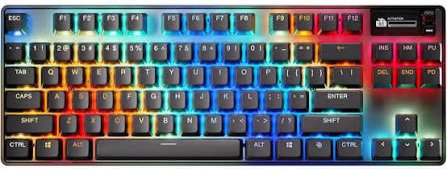
SteelSeries set a benchmark with the original Apex Pro’s adjustable actuation switches, and the TKL Wireless version takes that concept and adds the connectivity freedom competitive players have been asking for. It’s a wireless gaming keyboard that takes no meaningful performance compromises to get there.
The built-in OLED display is either a gimmick or genuinely useful depending on how you use it but the adjustable OmniPoint 2.0 switches beneath the keycaps are absolutely the real story here.
Key Specifications
| Specification | Detail |
|---|---|
| Layout | TKL (Tenkeyless) |
| Case Material | Aircraft-grade aluminum alloy |
| Mounting Style | Tray mount with per-key actuation |
| Switches | OmniPoint 2.0 Magnetic Hall Effect |
| Hot-Swap | No |
| Connectivity | 2.4GHz Wireless / Bluetooth / Wired USB-C |
| Battery | 2000mAh |
| RGB | Yes (per-key PrismSync RGB) |
| Software | SteelSeries GG / Engine 3 |
| Polling Rate | 8000Hz (wired) / 4000Hz (wireless) |
| Price | ~$219–$239 |
Design & Build Quality
The Apex Pro TKL Wireless looks refined and purposeful. The aircraft-grade aluminum frame is thinner and lighter than it has any right to be for a premium metal board SteelSeries clearly engineered for desk travel and LAN use in mind. The OLED display on the top-right is a small but genuinely interesting addition that can show GIF animations, game info, Discord notifications, or system stats.
The magnetic feet system is clever they attach and detach easily for different tilt angles, and they’re less likely to break than traditional flip-out feet.
Typing Experience
OmniPoint 2.0 switches are linear Hall Effect switches with adjustable actuation from 0.2mm to 3.8mm. At lower actuation settings, they feel extremely sensitive and light, which is excellent for gaming but can cause accidental keypresses during casual typing. Set to 1.5mm–2.0mm, they work well for typing.
The tray mount means the typing sound is a bit hollower than gasket-mounted boards, but it’s not objectionable. SteelSeries has added internal dampening that helps keep the sound profile reasonable.
Gaming Performance
At 8000Hz wired and 4000Hz over the Quantum 2.0 2.4GHz wireless connection, the Apex Pro TKL Wireless is among the fastest gaming keyboards available and crucially, it offers this performance wirelessly. That combination is rare.
The adjustable actuation lets competitive players set hair-trigger sensitivity on critical keys (WASD, space) while keeping less sensitive settings on keys they might accidentally bump. It’s a genuinely thoughtful system.
Rapid Trigger functionality is available through the SteelSeries software and works well, though Wooting’s implementation remains slightly more precise for sub-0.1mm detection.
Switch Technology
OmniPoint 2.0 switches are magnetic Hall Effect, similar in principle to Wooting’s Lekker switches but tuned to SteelSeries’ specifications. They’re smooth, fast, and rated for 100 million keypresses. The per-key actuation adjustment is the headline feature set each key individually through SteelSeries GG software.
Sound & Acoustics
The Apex Pro TKL Wireless has a moderately crisp, slightly hollow sound profile owing to its tray mount construction. It’s not a loud keyboard, but it’s not deeply satisfying acoustically either. Foam mods can improve this significantly if you’re comfortable opening the board.
For wireless gaming keyboard use, the sound is perfectly acceptable.
Connectivity
Three modes: 2.4GHz via Quantum 2.0 USB dongle (4000Hz polling), Bluetooth 5.0 (lower latency for office use), and wired USB-C (8000Hz). This flexibility is excellent you can use 2.4GHz for gaming sessions and Bluetooth when connected to a work laptop.
RGB & Software
PrismSync RGB is per-key and integrates with a growing ecosystem of SteelSeries-compatible peripherals and games. The OLED display can show animated RGB alongside your RGB setup, which is a fun touch.
SteelSeries GG software is relatively clean compared to competitors. It requires an account for full cloud-sync functionality, but basic configuration works offline.
Battery Life
Rated at approximately 40 hours with RGB at 50% brightness. With RGB off, SteelSeries claims up to 200 hours. In real use, 30–50 hours with moderate RGB is realistic. Recharging via USB-C is easy, and you can game wired while the battery charges.
Pros
- Wireless gaming at 4000Hz (rare and impressive)
- Fully adjustable per-key actuation (0.2mm–3.8mm)
- Premium aluminum build that’s lightweight for LAN use
- Versatile connectivity (2.4GHz + Bluetooth + wired)
- OLED display adds genuine utility
- Excellent battery life with RGB off
Cons
- No hot-swap support
- Tray mount acoustics not class-leading
- SteelSeries GG software requires account for full features
- Higher price point for what you get
- Bluetooth polling is lower than 2.4GHz
Best For
Wireless gaming without compromise. Competitive gamers who want adjustable actuation and move between setups or need flexibility between PC and laptop. Anyone who wants LAN-portable gaming keyboard without sacrificing performance.
Who Should Avoid It
Enthusiasts who want hot-swap capability. Acoustic-focused buyers who want a deeply thocky board. Buyers on a tight budget who don’t specifically need wireless.
Final Verdict
The SteelSeries Apex Pro TKL Wireless solves the problem most wireless gaming keyboards haven’t managed: delivering genuinely competitive performance at 4000Hz without a cord. The adjustable actuation and build quality seal the deal. It’s expensive, but it’s the best wireless gaming keyboard available in 2026.
Rating: 9.2/10
5. Corsair K70 RGB PRO
Overview
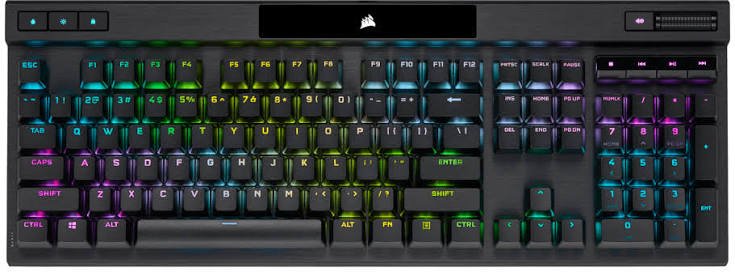
The Corsair K70 is the reliable veteran in this roundup. It’s been a benchmark gaming keyboard for years, and the RGB PRO version updates the formula with Corsair’s axon hyper-processing technology for 8000Hz polling while keeping the familiar K70 build quality that’s earned it a loyal following.
At a lower price than most competitors here, the K70 RGB PRO makes a strong case for buyers who want a rock-solid mainstream gaming keyboard without paying premium prices for features they may not need.
Key Specifications
| Specification | Detail |
|---|---|
| Layout | Full Size (100%) |
| Case Material | Aluminum top plate, ABS base |
| Mounting Style | Tray mount |
| Switches | Cherry MX Speed Silver (also available: Red, Brown, Blue) |
| Hot-Swap | No |
| Connectivity | Wired USB-A |
| Battery | N/A |
| RGB | Yes (per-key Corsair iCUE RGB) |
| Software | Corsair iCUE |
| Polling Rate | 8000Hz (with Axon technology) |
| Price | ~$139–$169 |
Design & Build Quality
The K70 RGB PRO has the look Corsair has refined over many generations. The aluminum top plate feels solid and premium, and the per-key legends are bright and clean. The USB passthrough port on the back (for connecting a mouse directly to the keyboard) is a thoughtful convenience feature.
One thing to note: the ABS wrist rest included with some bundles is functional but not exceptionally comfortable for extended use. Third-party wrist rests are worth considering.
Build quality is consistent and reliable this is a keyboard that will sit on your desk for years without issues.
Typing Experience
Cherry MX Speed Silver switches are optimized for speed: 1.2mm actuation point and 45g actuation force in a linear profile. They’re among the fastest traditional mechanical switches available. For typing, they’re polarizing some people love the light, fast actuation; others find it causes too many accidental keypresses.
If you prefer a heavier or tactile feel for typing, Corsair offers the K70 with MX Red or MX Brown as alternatives. The Speed Silver variant is best suited to gamers first, typists second.
Gaming Performance
8000Hz polling via Corsair’s Axon Hyper-Processing technology puts the K70 RGB PRO in line with competitors twice its price for raw reporting speed. Paired with Cherry MX Speed Silver’s 1.2mm actuation, this is a legitimately fast keyboard for gaming.
It doesn’t have analog actuation or Rapid Trigger those features are absent here but for the vast majority of games and players, the combination of fast switches and high polling rate delivers excellent responsiveness.
Switch Technology
Cherry MX Speed Silver switches are well-established, thoroughly tested, and rated for 100 million keypresses. They’re linear, fast, and widely trusted. The tradeoff is that Cherry MX switches lack the analog depth of Hall Effect alternatives and don’t support Rapid Trigger in any form.
No hot-swap: whatever switch variant you choose is what you’re living with permanently.
Sound & Acoustics
The K70 RGB PRO is a moderately quiet linear keyboard. Speed Silver switches don’t have a pronounced clack, and Corsair’s dampening foam reduces the hollow tray mount resonance somewhat. It’s not the quietest keyboard on this list, but it won’t disturb a sleeping partner through a wall.
Connectivity
Wired only via USB-A. There’s a USB passthrough port for connecting another USB device. No wireless option is available for the K70 RGB PRO, which is a significant limitation if wireless matters to you.
RGB & Software
Corsair’s iCUE software is comprehensive. It syncs RGB across Corsair mice, headsets, fans, RAM, and even GPU coolers. Dynamic RGB effects are numerous and well-designed. The software is capable but resource-heavy and does require a Corsair account for cloud profile sync.
Per-key RGB on the K70 RGB PRO is vibrant and visible even in bright rooms.
Battery Life
N/A – wired only.
Pros
- Most affordable keyboard in this roundup
- 8000Hz polling at a mainstream price point
- Reliable Cherry MX switches with 100M keystroke rating
- Strong iCUE RGB integration with Corsair ecosystem
- USB passthrough port is a practical convenience
- Proven, durable build quality over many K70 generations
Cons
- No hot-swap support
- No wireless option
- No analog actuation or Rapid Trigger
- iCUE software is resource-heavy
- ABS base feels less premium than full-aluminum competitors
- Full-size layout takes significant desk space
Best For
Gamers who want a reliable, fast, well-built keyboard without overspending on features they don’t need. Corsair ecosystem users who want seamless RGB sync. First-time mechanical keyboard buyers moving up from cheaper boards.
Who Should Avoid It
Competitive FPS players who want Rapid Trigger or analog input. Anyone who needs wireless. Buyers who want to swap switches down the line. Acoustic enthusiasts.
Final Verdict
The Corsair K70 RGB PRO won’t win a spec sheet war against newer competitors, but it offers 8000Hz polling, Cherry MX reliability, and Corsair’s build quality at a price well below the competition. For mainstream gaming, it remains one of the best value propositions in the mechanical keyboard market.
Rating: 8.6/10
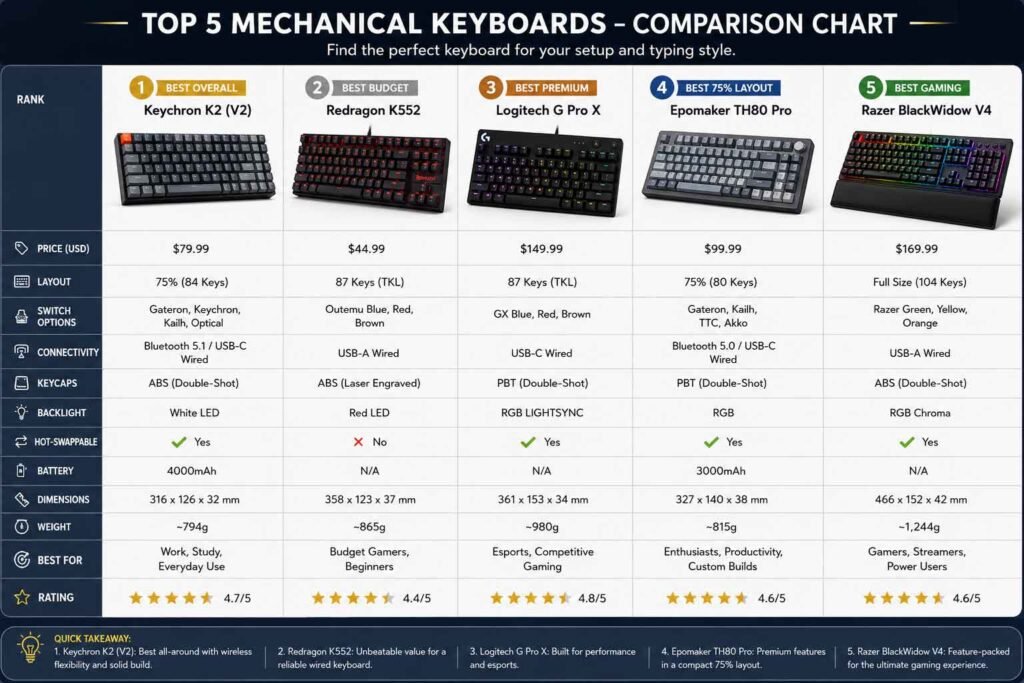
Mechanical Keyboard Comparison Table
| Feature | Keychron Q5 Max | Wooting 60HE+ | Razer Huntsman V3 Pro | SteelSeries Apex Pro TKL Wireless | Corsair K70 RGB PRO |
|---|---|---|---|---|---|
| Build Quality | ★★★★★ | ★★★★☆ | ★★★★☆ | ★★★★☆ | ★★★★☆ |
| Gaming | ★★★☆☆ | ★★★★★ | ★★★★☆ | ★★★★★ | ★★★★☆ |
| Typing | ★★★★★ | ★★★★☆ | ★★★☆☆ | ★★★☆☆ | ★★★☆☆ |
| Wireless | ★★★★☆ | ✗ | ✗ | ★★★★★ | ✗ |
| Software | ★★★★★ (Via/QMK) | ★★★★★ (Wootility) | ★★★★☆ (Synapse) | ★★★★☆ (GG) | ★★★★☆ (iCUE) |
| RGB | ★★★★☆ | ★★★☆☆ | ★★★★★ | ★★★★☆ | ★★★★★ |
| Hot-Swap | ✅ Yes | ✅ Yes | ✗ No | ✗ No | ✗ No |
| Noise Level | Low (Thocky) | Medium | Medium-High | Medium | Medium-Low |
| Price | $$$ | $$$ | $$$$ | $$$$ | $$ |
| Rating | 9.4/10 | 9.5/10 | 9.1/10 | 9.2/10 | 8.6/10 |
Which Keyboard Should You Buy?
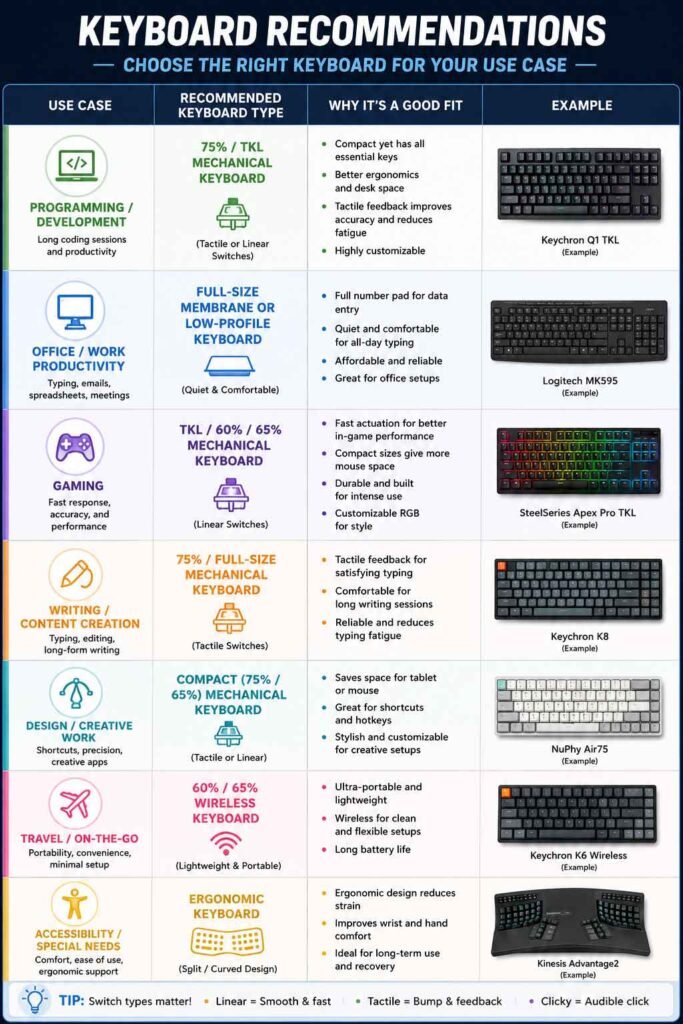
Not sure which keyboard to pull the trigger on? Here’s a direct breakdown based on specific use cases.
Best Overall: Keychron Q5 Max If you want one keyboard that handles daily typing, occasional gaming, and offers serious upgrade potential, the Q5 Max wins comfortably. It’s genuinely premium, endlessly customizable, and versatile enough to satisfy almost any use case.
Best Gaming: Wooting 60HE+ For competitive gaming, particularly FPS titles, the Wooting 60HE+ is the most technically capable keyboard on this list. Rapid Trigger at 0.1mm resolution changes how the game responds to your inputs in ways no other board can match.
Best Typing: Keychron Q5 Max Gasket mount, pre-lubed stabilizers, hot-swap capability, and Via/QMK support make this the clear winner for anyone who spends serious time at the keyboard writing or coding.
Best Wireless: SteelSeries Apex Pro TKL Wireless 4000Hz wireless polling is genuinely impressive, and the adjustable actuation switches give it a competitive edge that most wireless keyboards don’t have. This is the choice if you need wireless without performance compromise.
Best Premium: SteelSeries Apex Pro TKL Wireless Between the OLED display, Quantum 2.0 wireless, per-key adjustable actuation, and aircraft aluminum build the Apex Pro TKL Wireless is the most feature-complete premium keyboard in this roundup.
Best Value: Corsair K70 RGB PRO At around $139–$169, the K70 RGB PRO delivers 8000Hz polling, Cherry MX switches, and a solid build that outperforms many keyboards at double the price. If budget matters and you don’t need wireless or analog features, this is the pick.
Best Custom Keyboard: Keychron Q5 Max Via/QMK compatibility, 5-pin hot-swap support, gasket mount, and the active Keychron modding community make the Q5 Max the most customization-friendly board here.
Best Competitive FPS Keyboard: Wooting 60HE+ There’s no competition here. Rapid Trigger, 3000Hz polling, and per-key analog actuation configuration make the Wooting 60HE+ the top choice for CS2, Valorant, Apex Legends, and any game where movement accuracy and response speed matter.
Mechanical Keyboard Maintenance Tips
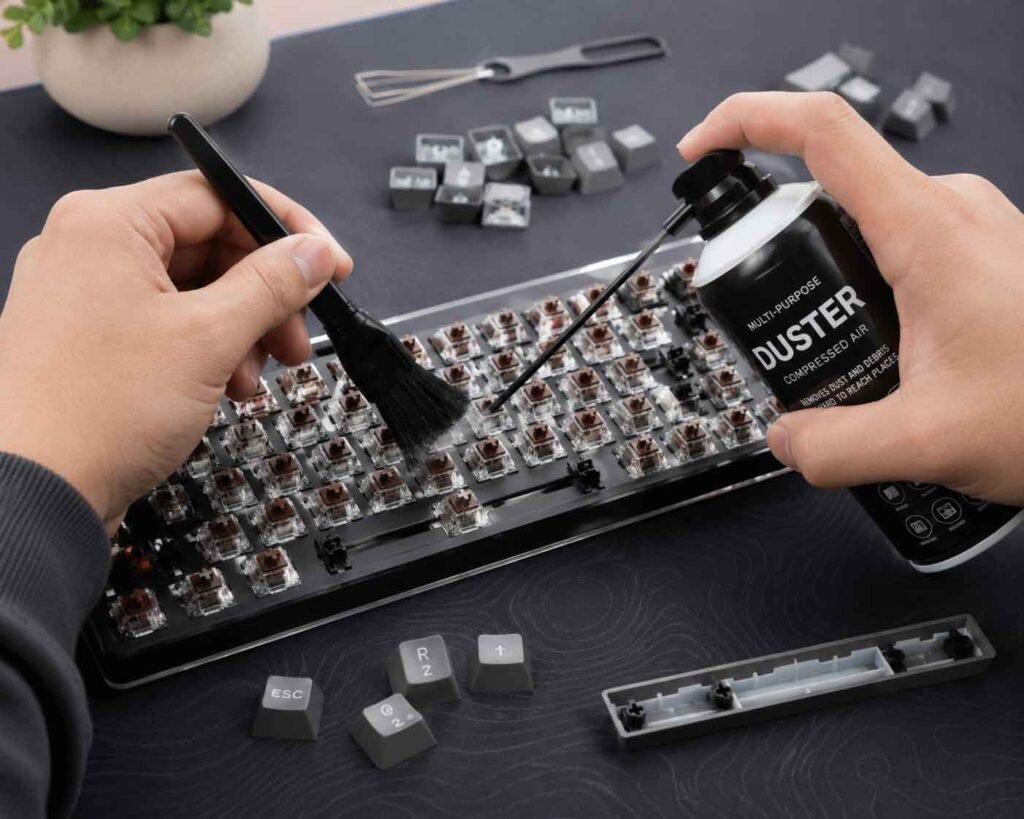
A quality mechanical keyboard should last a decade or more with proper care. Here’s how to keep yours performing like new.
Cleaning Your Keyboard
Dust, crumbs, and debris accumulate between keys over time and can affect switch performance. Every few weeks, give your keyboard a quick blast with a can of compressed air between the keys. Every few months, pull the keycaps off (a keycap puller tool makes this easy and prevents scratching) and clean the top plate with a lightly dampened cloth.
For deeper cleaning, isopropyl alcohol on a cotton swab removes oils and grime from switch housings and the plate without damaging plastics.
Lubricating Switches
Switch lubing is the single best modification you can make to almost any keyboard. A thin layer of Krytox 205g0 (for linears) or Tribosys 3203 (for tactiles) on switch stems and rails dramatically reduces friction and eliminates scratchiness.
It’s time-consuming plan 2–4 hours for a full board but the improvement in feel and sound is substantial. YouTube tutorials from Taeha Types or Switch and Click walk through the process clearly.
Replacing Keycaps
Keycap replacement is one of the most visible upgrades you can make. PBT double-shot keycap sets are available from vendors like KBDfans, NovelKeys, and Drop for $30–$150. Make sure any set you buy is compatible with your layout (confirm coverage for unusual keys like 96% numpad keys or 65% right modifiers).
Switch Maintenance
Hot-swappable keyboards make switch maintenance simple pull out a switch that’s feeling scratchy, clean it with isopropyl alcohol, re-lube it, and put it back. For soldered keyboards, switch replacement requires a desoldering tool.
Cable Care
Avoid tight bends in your USB cable, which can damage internal wiring over time. Coiled cables (popular in the enthusiast community) look great and naturally reduce tangling. Store cables loosely coiled rather than tightly wound.
Battery Care (Wireless Keyboards)
For wireless keyboards, avoid storing them at very low or very high charge for extended periods. If you’re not using the keyboard for more than a week, store it at around 50% charge. Avoid leaving it plugged in continuously at 100% for months at a time, which can degrade lithium battery capacity.
Dust Prevention
A keyboard cover or simple dust cloth between uses makes a significant difference in how long your keyboard stays clean. Even a simple piece of fabric keeps dust accumulation minimal and reduces how often you need a deep clean.
Frequently Asked Questions (FAQ)
Q: Are mechanical keyboards worth it compared to membrane keyboards? A: Absolutely. Mechanical keyboards offer a more precise, consistent typing and gaming experience, significantly longer switch lifespan (50–100 million keypresses vs. ~5–10 million for membrane), and far more customization options. Most people who switch never go back.
Q: Which switches are best for gaming? A: Linear switches with low actuation force are generally preferred for gaming Cherry MX Red, Gateron Yellow, or Hall Effect options like Wooting Lekker or OmniPoint 2.0. For competitive FPS, Hall Effect switches with Rapid Trigger support offer the greatest advantage.
Q: Which switches are best for typing? A: Tactile switches like the Cherry MX Brown, Boba U4T, or Holy Panda are popular for typing since the tactile bump provides feedback without requiring you to bottom out each key. Clicky switches like MX Blue are also loved by typists who prefer audible confirmation.
Q: Is hot-swap support important? A: If you enjoy experimenting with different switch feels or think you might want to change switches in the future, hot-swap is extremely valuable. It lets you swap switches in seconds without soldering equipment. For users happy with their switch choice, it’s less critical.
Q: Which keyboard is best for FPS games like CS2 or Valorant? A: The Wooting 60HE+ is the best FPS keyboard on this list and arguably the best available in 2026. Its Rapid Trigger technology at 0.1mm resolution gives a measurable advantage in counter-strafing accuracy and movement responsiveness.
Q: Are wireless mechanical keyboards good for gaming? A: In 2026, yes with the right keyboard. 2.4GHz wireless connections on boards like the SteelSeries Apex Pro TKL Wireless deliver latency comparable to wired performance. Bluetooth alone is not recommended for competitive gaming, but 2.4GHz dongle connections are tournament-viable.
Q: Can I replace switches on any mechanical keyboard? A: Only on hot-swappable keyboards without soldering. For soldered boards, switch replacement requires a desoldering station and some technical skill. If switch flexibility matters to you, prioritize hot-swap support when buying.
Q: How long do mechanical keyboards last? A: Quality mechanical switches are rated for 50–100 million keypresses. A keyboard you use for 8 hours a day could theoretically last 10–15 years before any switch wears out. Build quality, PCB durability, and keycap longevity also factor into overall keyboard lifespan.
Q: What is polling rate and does it matter for gaming? A: Polling rate is how often your keyboard reports its state to your computer. 1000Hz = once per millisecond. 8000Hz = eight times per millisecond. For casual gaming, 1000Hz is sufficient. For competitive FPS at a high level, 4000Hz or 8000Hz can provide a marginal but real advantage in input registration timing.
Q: What’s the difference between 60%, TKL, and full-size keyboards? A: These refer to layout sizes. Full-size keyboards include a numpad. TKL (Tenkeyless) removes the numpad for more desk space. 65% keyboards remove the numpad and function row but keep arrow keys. 60% keyboards remove even more keys, prioritizing compactness. The best layout depends on whether you use those removed keys in your workflow.
Q: What is Rapid Trigger technology? A: Rapid Trigger is a feature found in Hall Effect switch keyboards (Wooting, SteelSeries Apex Pro) that allows keys to re-actuate at any point during their travel not just at a fixed actuation point. In practice, this dramatically reduces the time between releasing a key and being able to press it again, which is especially valuable for counter-strafing in FPS games.
Q: Is the Keychron Q5 Max good for programming? A: Yes, exceptionally so. The 96% layout keeps the numpad and all function keys accessible. Via/QMK compatibility lets you remap any key to suit programming shortcuts. The excellent typing feel reduces fatigue during long coding sessions. It’s one of the top programming keyboards available.
Final Verdict
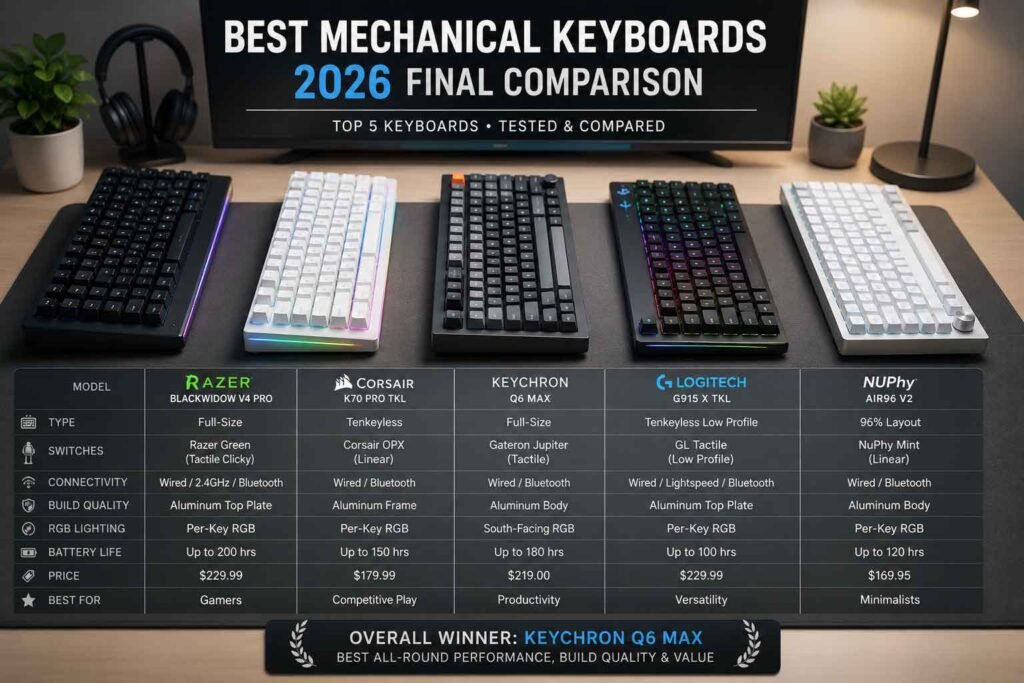
After spending serious time with all five keyboards in this guide, here’s the honest summary:
The Wooting 60HE+ earns the highest technical rating for its Rapid Trigger technology and unmatched competitive gaming performance. If you play FPS games at a high level, it’s the only keyboard you should seriously consider.
The Keychron Q5 Max is the most well-rounded keyboard in the group a genuinely premium board that types beautifully, customizes deeply, and connects flexibly. For writers, programmers, and enthusiasts who want something they can make their own, it’s the standout choice.
The SteelSeries Apex Pro TKL Wireless solves the wireless gaming problem better than any keyboard before it, delivering 4000Hz wireless performance with per-key adjustable actuation in a premium build. It’s the best wireless gaming keyboard money can buy.
The Razer Huntsman V3 Pro brings full-size convenience and 8000Hz polling with analog optical switches perfect for Razer ecosystem users who want all their peripherals in sync and don’t want to give up their numpad.
The Corsair K70 RGB PRO is the practical choice for anyone who wants a dependable, fast keyboard at a more accessible price. It lacks the analog features and wireless of its competitors, but it delivers 8000Hz polling and Cherry MX reliability without the premium markup.
There’s no universally “best” mechanical keyboard only the best one for how you specifically use it. If this guide helped you narrow that down, it’s done its job. Take your time with the decision, and whichever board you choose, you’re getting something considerably better than the rubber dome you started with.