
Let’s be honest there’s nothing more frustrating than watching your PC crawl like it’s from 2005, only to realize the culprit is the very software that’s supposed to protect you.
If you’ve ever opened Task Manager and seen your antivirus eating 40–60% of your CPU, you’re not alone. Millions of Windows 11 users deal with this every single day.
But here’s the good news: you don’t have to choose between security and speed. The right antivirus can protect your system without turning your powerful Windows 11 machine into a slideshow.
In this guide, we’re going to walk you through:
- Why most antivirus software slows down your PC
- What to look for in a lightweight antivirus
- Why Ashampoo Antivirus might just be the perfect solution for slow PCs in 2026
- And a full breakdown of features, pricing, and performance
Whether you’re a gamer, remote worker, student, or just someone who wants a fast and secure PC this post is for you. Let’s dive in.
Part 1: The Problem Why Is Your Antivirus Slowing Down Your PC?
“I Installed Antivirus and Now My PC Is Slower” Sound Familiar?
You buy a new laptop, set it up, install a popular antivirus “just to be safe,” and within a week it feels like you’re running Windows Vista. Your browser takes forever to load. Your games lag. Even opening File Explorer feels painful.
This isn’t a coincidence. Most traditional antivirus programs are resource hogs and they were never really designed with lightweight performance in mind.
Here’s exactly what’s happening behind the scenes:
1. Real-Time Scanning Is Constantly Running in the Background
Most antivirus software runs real-time protection meaning it scans every single file you open, download, or execute, every second of the day. This is great for security, but terrible for performance.
Every time you click “Open” on a file, the antivirus intercepts it, scans it, checks it against a database, and then lets your system proceed. On a fast PC with a strong CPU, this barely noticeable. On a mid-range or older machine, it adds up fast.
2. Heavy Signature Database Updates
Traditional antivirus relies on virus signature databases essentially long lists of known malware. These databases are updated constantly, sometimes multiple times per day, and each update requires downloading, installing, and reindexing.
If your antivirus is updating its database while you’re trying to work, your internet connection, CPU, and disk I/O are all being shared. Result? Slowdowns.
3. Scheduled Full-System Scans at the Wrong Time
Ever notice your PC suddenly getting sluggish in the middle of the afternoon? Check your antivirus schedule. Many programs default to running full system scans during “low activity” periods but their definition of low activity doesn’t always match yours.
A full scan can eat 30–80% of your CPU for 30–90 minutes. If it triggers while you’re gaming, in a video call, or doing intensive work, the results are brutal.
4. Bloatware Bundled with the Antivirus
This one’s a big deal. Many popular “antivirus suites” come bundled with:
- VPN clients
- Password managers
- Browser extensions
- PC optimization tools
- Firewall add-ons
- Cloud backup tools
Each of these runs its own background process. Even if you never use them, they’re still consuming RAM and CPU cycles. That “security suite” you installed might actually be running 6–10 separate processes at all times.
5. Poorly Optimized Scan Engines
Some antivirus vendors simply haven’t optimized their scan engines for modern hardware. They still rely on outdated scanning architecture that doesn’t take advantage of multi-core CPUs, NVMe SSD speeds, or Windows 11’s performance features.
The result? They’re slow because they were built slow.
The Real Cost of a Heavy Antivirus
Let’s put some numbers behind this:
| Antivirus Type | Average CPU Usage (Idle) | RAM Usage | System Impact Score |
|---|---|---|---|
| Heavy Suite (e.g., Norton 360) | 8–15% | 350–600 MB | High |
| Mid-Range (e.g., Avast) | 4–10% | 200–350 MB | Medium |
| Lightweight (e.g., Ashampoo) | 1–3% | 80–150 MB | Low |
| No Antivirus | 0% | 0 MB | None (Unsafe) |
Note: Figures are approximate and based on average user reports and benchmark tests across Windows 11 systems.
The difference between a heavy antivirus and a lightweight one can mean the difference between a PC that stutters and one that flies.
Who Suffers the Most from a Heavy Antivirus?
Not everyone feels the slowdown equally. The following groups are hit hardest:
Gamers Frame drops, input lag, and stuttering caused by background antivirus scans ruin gaming sessions. Nobody wants their FPS dropping because Norton decided now is a great time to update.
Students & Remote Workers Video calls, Google Docs, multitasking across browser tabs these activities all demand CPU and RAM. A heavy antivirus competing for those resources causes frustrating freezes.
Older PC Users If you’re running Windows 11 on a machine with 4–8GB of RAM and an older CPU, a bloated antivirus can use up to 30–40% of your total system resources just sitting idle.
Small Business Owners Running accounting software, CRMs, or design tools on top of a heavy antivirus on mid-range hardware is a recipe for lost productivity.
Part 2: The Solution What Makes an Antivirus “Lightweight”?
Before we introduce you to Ashampoo Antivirus, let’s get clear on what actually makes an antivirus lightweight and effective at the same time.
Key Features to Look For in the Best Antivirus for Slow PC
✅ Low CPU and RAM Footprint
This is the #1 priority. A truly lightweight antivirus should use less than 3–5% CPU during real-time protection and no more than 150 MB of RAM at idle.
Look at your current antivirus in Task Manager. If it’s consistently above 5% CPU while just sitting in the background, it’s already too heavy.
✅ Smart Scanning (Not Brute Force)
Instead of scanning every byte of every file every single time, smart antivirus engines use techniques like:
- Heuristic analysis detecting suspicious behavior rather than known signatures
- Cloud-assisted scanning offloading heavy analysis to the cloud instead of your local CPU
- Incremental scanning only scanning files that have changed since the last scan
- Silent/gaming mode pausing non-critical tasks automatically when full-screen apps are running
✅ Minimal Background Processes
Open Task Manager and count how many processes your antivirus is running. One or two is fine. Five or more? That’s a problem. A lightweight antivirus should run lean ideally a single core service and a lightweight UI shell.
✅ No Unnecessary Bloat
You want antivirus not a subscription to someone’s entire software ecosystem. A focused antivirus without 10 bundled extras will always perform better on slower hardware.
✅ Windows 11 Optimized
Windows 11 brought architectural changes, new security layers, and optimized resource scheduling. An antivirus that’s actually built for Windows 11 (not just compatible with it) will take advantage of these improvements and perform significantly better.
✅ Automatic Quiet Mode
A great lightweight antivirus knows when to get out of your way. Silent modes, game modes, and smart scheduling ensure scans and updates happen on your terms not in the middle of your presentation or match.
Part 3: The Solution Ashampoo Antivirus (The Best Lightweight Antivirus for Slow PCs in 2026)
Now that you know what to look for, let’s talk about the product that checks every single box on that list.
What Is Ashampoo Antivirus?
Ashampoo is a German software company with over 25 years of experience building lean, efficient, high-quality PC software. They’re known in the tech world for creating powerful tools that don’t bloat your system and their antivirus is no different.
Ashampoo Antivirus is designed from the ground up to deliver maximum security with minimum resource usage. It’s built specifically for Windows users who want real, enterprise-grade protection without turning their PC into a slug.
And in 2026, it’s become one of the top-recommended options for anyone searching for the best antivirus for slow PC and for good reason.
Why Ashampoo Antivirus Is Perfect for Slow or Older PCs
Let’s break down exactly what makes Ashampoo stand out in a crowded market:
🛡️ 1. Ultra-Lightweight Engine Built for Performance
Ashampoo Antivirus runs with a remarkably small system footprint. During typical real-time protection:
- CPU Usage: 1–3% (idle), spikes only briefly during file access
- RAM Footprint: Approximately 80–140 MB
- Background Processes: 2–3 lightweight services
Compare that to bloated suites that idle at 8–15% CPU and 400+ MB of RAM. The difference in day-to-day usability is massive.
This makes Ashampoo ideal for:
- Laptops with 4–8 GB RAM
- Older desktops still running on HDDs
- Budget Windows 11 machines
- High-performance setups where you don’t want any unnecessary overhead
🔍 2. Dual-Engine Scanning Technology
One of Ashampoo’s most impressive technical features is its dual-engine scan approach. It combines:
- Bitdefender’s award-winning scan engine one of the most effective malware detection engines in the world
- Ashampoo’s own behavioral analysis layer detecting zero-day threats and suspicious behavior in real time
This combination means you get detection rates comparable to the industry’s heaviest suites, but delivered with a featherlight resource footprint.
You’re getting the protection of a heavyweight in a lightweight package.
🎮 3. Silent/Gaming Mode No More Interruptions
One of the most loved features among Ashampoo users is the automatic silent mode. When it detects you’re in:
- A full-screen game
- A video call
- A presentation
- A video editing timeline
…it automatically pauses non-essential background tasks, defers updates, and suppresses notifications. The moment you exit your full-screen activity, it quietly resumes normal operation.
For gamers especially, this is a game-changer (pun intended). No more FPS drops in the middle of a ranked match because your antivirus decided to scan system files.
🌐 4. Real-Time Web Protection
Ashampoo includes robust web protection that:
- Blocks malicious and phishing websites before they load
- Warns you about dangerous downloads before they touch your hard drive
- Protects across all major browsers: Chrome, Firefox, Edge, Opera, and more
- Scans email attachments and web-based files automatically
This layer of protection is lightweight because it works at the DNS/filter level rather than installing heavy browser extensions that consume their own memory.
📧 5. Email Attachment Scanning
A huge vector for malware is email. Ashampoo actively scans incoming email attachments in real time, working with:
- Microsoft Outlook
- Thunderbird
- Web-based email clients (via browser protection)
Infected attachments are flagged and quarantined before you ever double-click them all without noticeable slowdown.
🔒 6. Ransomware Protection
Ransomware attacks have exploded in frequency over the past few years, and in 2026, they remain one of the most dangerous threats to both personal and business users.
Ashampoo includes a dedicated ransomware shield that:
- Monitors unauthorized encryption attempts on your files
- Creates protected “safe zones” for critical documents and folders
- Blocks ransomware before it can complete encryption
- Alerts you instantly if suspicious file encryption is detected
This isn’t a watered-down feature it’s a serious layer of protection that rivals what premium enterprise suites offer.
⚡ 7. Smart Scheduling for System Scans
Ashampoo’s full system scans are scheduled intelligently. The software:
- Detects when your PC is genuinely idle (not just when you’ve stepped away for 5 minutes)
- Uses low-priority threading so scans don’t compete with active applications
- Lets you set custom scan windows (e.g., 2:00 AM – 4:00 AM)
- Offers quick scan options that cover the most infection-prone areas without scanning your entire drive
The result: you get thorough protection without ever feeling the scan happening.
🖥️ 8. Clean, Intuitive Interface
Some antivirus programs bury settings in menus that take 10 clicks to find. Ashampoo’s interface is clean, modern, and designed for Windows 11’s aesthetic. Everything you need scan controls, quarantine, settings, protection status is visible at a glance.
You don’t need to be tech-savvy to use it. Everything just makes sense.
💰 9. Excellent Value for Money
Ashampoo Antivirus offers licensing options that are significantly more affordable than the big-name suites. And unlike many competitors, they don’t lock critical features behind expensive “premium” tiers.
You get the full feature set dual-engine scanning, ransomware protection, web shield, email scanning, silent mode in the base license.
No upsells. No “this feature is only in the Platinum Ultra Plus plan.” Just solid protection at a fair price.
Ashampoo Antivirus Feature Summary Table
| Feature | Ashampoo Antivirus | Norton 360 | Avast Free |
|---|---|---|---|
| Real-Time Protection | ✅ Yes | ✅ Yes | ✅ Yes |
| Dual-Engine Scanning | ✅ Yes (Bitdefender) | ❌ Single Engine | ❌ Single Engine |
| Gaming/Silent Mode | ✅ Automatic | ✅ Manual | ✅ Manual |
| Ransomware Shield | ✅ Dedicated Layer | ✅ Yes | ⚠️ Limited |
| Web Protection | ✅ DNS + Browser | ✅ Yes | ✅ Yes |
| Email Scanning | ✅ Full Support | ✅ Yes | ⚠️ Limited |
| CPU Usage (Idle) | ✅ 1–3% | ⚠️ 8–15% | ⚠️ 4–10% |
| RAM Usage (Idle) | ✅ ~100 MB | ❌ 400–600 MB | ⚠️ 200–350 MB |
| Bundled Bloatware | ✅ None | ❌ Heavy | ⚠️ Some |
| Windows 11 Optimized | ✅ Native | ⚠️ Compatible | ⚠️ Compatible |
| Price (Annual) | ✅ Very Affordable | ❌ Expensive | ✅ Free (Limited) |
Who Is Ashampoo Antivirus Best For?
Ashampoo Antivirus is the ideal choice for:
Everyday PC Users who want set-it-and-forget-it protection without thinking about it. Install it, let it run quietly, and enjoy a fast PC.
Gamers who are tired of antivirus interference during sessions. The automatic silent mode is a genuine feature not just a checkbox.
Students and Remote Workers who multitask heavily and can’t afford to lose system resources to a bloated security suite.
Older PC Owners running Windows 11 on legacy hardware where every megabyte of RAM and every CPU percentage point matters.
Budget-Conscious Users who want premium-grade protection without paying premium prices.
Small Businesses deploying on mid-range workstations where a heavy antivirus would kill productivity.
Common Questions About Ashampoo Antivirus
Q: Does Ashampoo slow down my PC? No that’s literally its defining feature. With 1–3% idle CPU usage and under 150 MB of RAM, most users report zero noticeable impact on performance.
Q: Is Ashampoo Antivirus good enough to replace a full security suite? Yes, for the vast majority of home and small business users. It includes real-time protection, ransomware shielding, web filtering, and email scanning everything you actually need.
Q: Does it work with Windows 11? Absolutely. Ashampoo Antivirus is fully optimized for Windows 11, including support for Windows 11’s security architecture.
Q: How often does Ashampoo update its virus database? Multiple times per day, but these updates are delivered quietly in the background without noticeably impacting system performance.
Q: Is there a free trial? Yes Ashampoo offers a free trial so you can test it on your own machine before committing to a license. No credit card required.
How to Get Started with Ashampoo Antivirus
Getting started is simple:
- Visit the official Ashampoo website
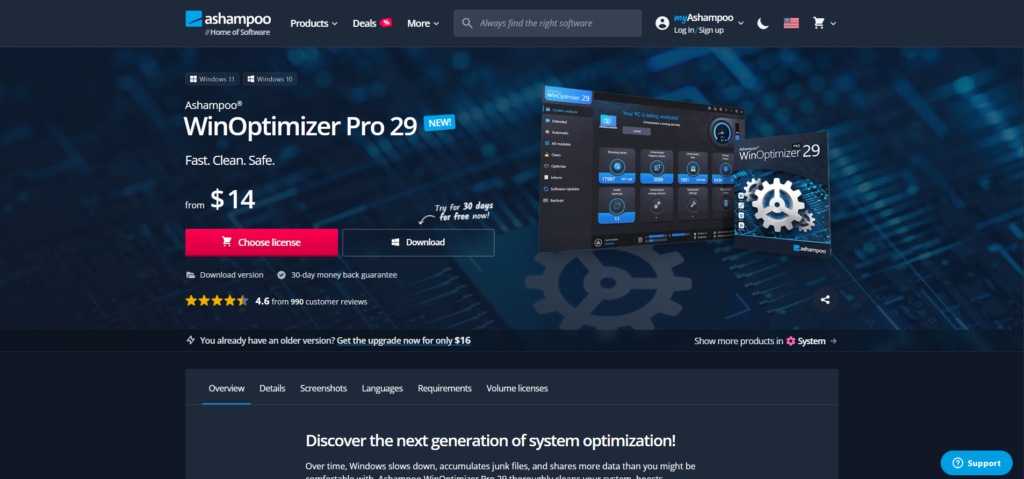
- Click “Download Free Trial” or “Choose lisence”
- Run the lightweight installer (takes under 2 minutes)
- Let the initial setup scan run (quick scan takes 5–10 minutes)
- Enable Silent Mode in settings if you game or work in full-screen apps
- That’s it you’re protected
There’s no complicated configuration required. Ashampoo’s default settings are well-tuned for most users right out of the box.
Quick Recap: Antivirus Slowing Down Your PC? Here’s What to Do
Before we wrap up, let’s summarize everything:
The Problem: Traditional antivirus programs are resource-heavy, running constant background scans, bloated with extras, and poorly optimized for Windows 11. They slow down your PC, interrupt your work, and ruin your gaming sessions.
The Solution: Switch to a lightweight antivirus that’s purpose-built for performance one that delivers real protection without stealing your system’s resources.
The Best Option in 2026: Ashampoo Antivirus lightweight dual-engine protection with gaming mode, ransomware shielding, and a tiny system footprint. It’s the best antivirus for slow PC users who refuse to compromise on either speed or security.
Transparency matters to us. This post contains affiliate links. If you purchase through our links, we may earn a small commission at no extra cost to you. This helps us keep producing free, honest content.
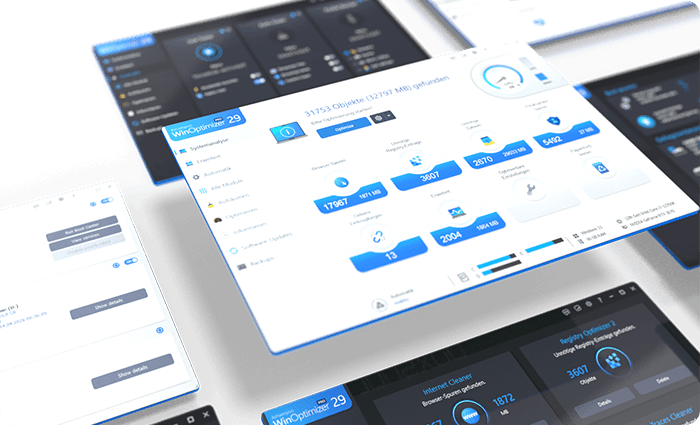
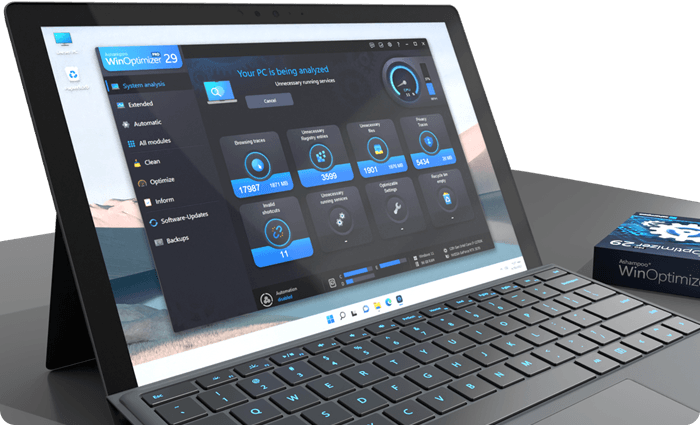
Over time, Windows slows down, accumulates junk files, and shares more data than you might be comfortable with.
Final Thoughts
Your antivirus should be working for you silently protecting your system in the background while you get on with your life. It should never be the reason your PC feels slow, your games stutter, or your laptop fan sounds like a jet engine.
In 2026, there’s absolutely no reason to put up with a bloated security suite. Ashampoo Antivirus proves that you can have enterprise-grade protection with near-zero performance impact.
If your PC has been sluggish and you’ve been blaming aging hardware, do yourself a favor try switching your antivirus first. You might be surprised how fast your PC actually is once it’s not being strangled by the software meant to protect it.