Physical Address
304 North Cardinal St.
Dorchester Center, MA 02124
Physical Address
304 North Cardinal St.
Dorchester Center, MA 02124
In today’s digital world, if you have a website or a blog, you probably want people to find it easily when they search online. That’s where SEO comes in. SEO stands for Search Engine Optimization, and it’s the process of making your website more visible in search engines like Google, Bing, or even newer AI-powered search tools.
This complete beginner’s guide will explain what SEO is, why it matters in 2026, and how you can get started—even if you’re completely new to it. We’ll break everything down into simple words, with step-by-step tips, examples, and practical advice. By the end, you’ll have a clear roadmap to improve your site’s rankings and attract more visitors organically (for free!).
(These illustrations show how search engines “crawl” the web and why SEO helps your site stand out.)
Imagine typing a question into Google—like “best beginner running shoes”—and seeing results instantly. Most people click on the top few links. In fact, the first page of Google gets over 90% of all clicks!
SEO helps your website appear higher in those search results. Without it, your amazing content might be buried on page 10, where no one looks.
In 2026, SEO is more important than ever because:
Good SEO brings free traffic, builds your brand, and can grow your business without paying for ads.
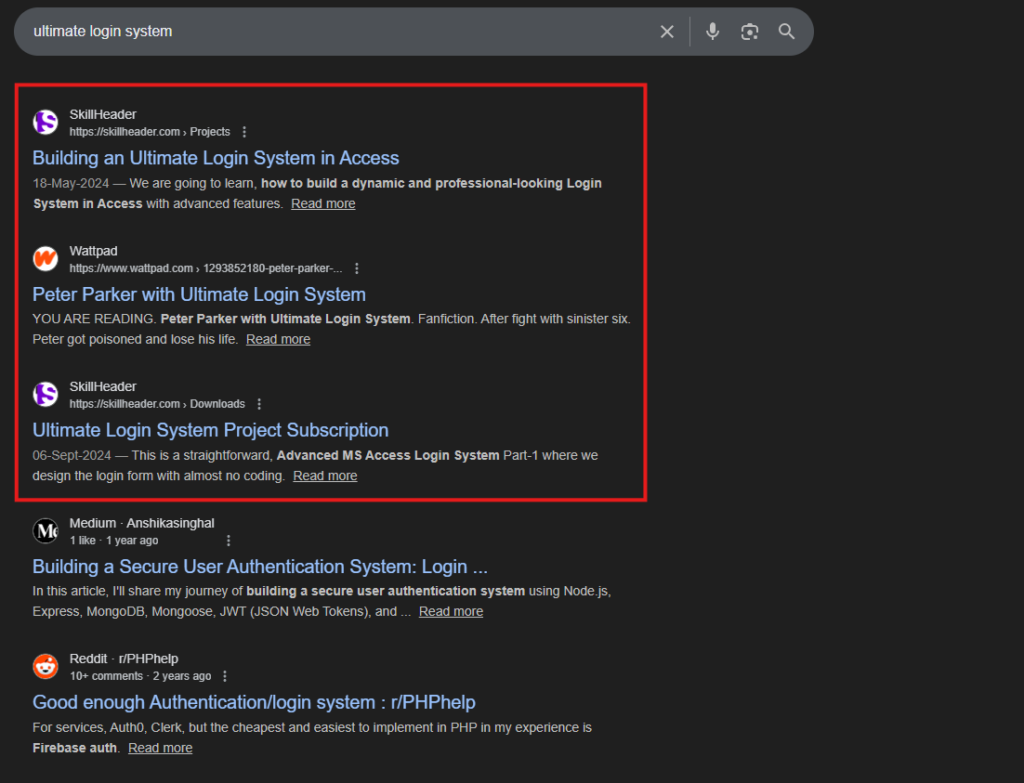
(Here’s what a typical Google search results page looks like—notice the top spots get the most attention!)
To understand SEO, you need to know how search engines like Google operate. It’s like a giant library with billions of books (websites).
SEO helps at every step: making your site easy to crawl, index, and rank highly.
Google uses over 200 factors to rank pages, but the big ones are content quality, user experience, and authority.
SEO isn’t just one thing—it’s divided into categories:
This is everything you control on your own website, like content and structure.
Things outside your site, mainly backlinks from other websites.
The behind-the-scenes stuff, like site speed and mobile-friendliness.
Creating valuable, user-focused content (overlaps with on-page).
In 2026, there’s also talk of AEO (Answer Engine Optimization) for AI searches, but the basics remain the same.
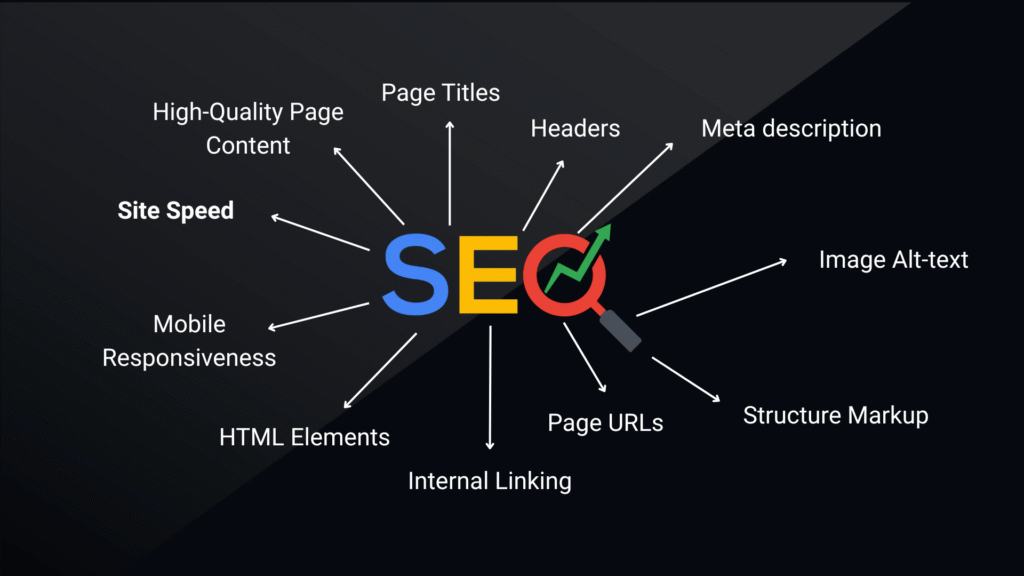
(This infographic breaks down key on-page SEO elements.)
On-page SEO is where most beginners start because it’s straightforward.
Keywords are the words people type into search. Use tools like Google Keyword Planner (free) or free versions of Ahrefs/SEMrush to find them.
Example: For this guide, primary keyword is “what is SEO”, with secondary like “SEO beginner guide”.
Use one H1 (main title), then H2/H3 for sections. Include keywords naturally.
Write for humans first:
In 2026, focus on unique insights—don’t just rewrite what others say.
Add descriptive alt text with keywords (e.g., “beginner SEO keyword research tool”).
Link to other pages on your site to help users and crawlers navigate.
Technical SEO ensures Google can access and understand your site.
Key beginner tips:

(See the difference? Non-mobile sites frustrate users and rank lower.)
Set up Google Search Console and Google Analytics—they’re free and essential for tracking.
Off-page SEO is about signals from other sites.
Backlinks are links from other websites to yours—like votes of confidence.
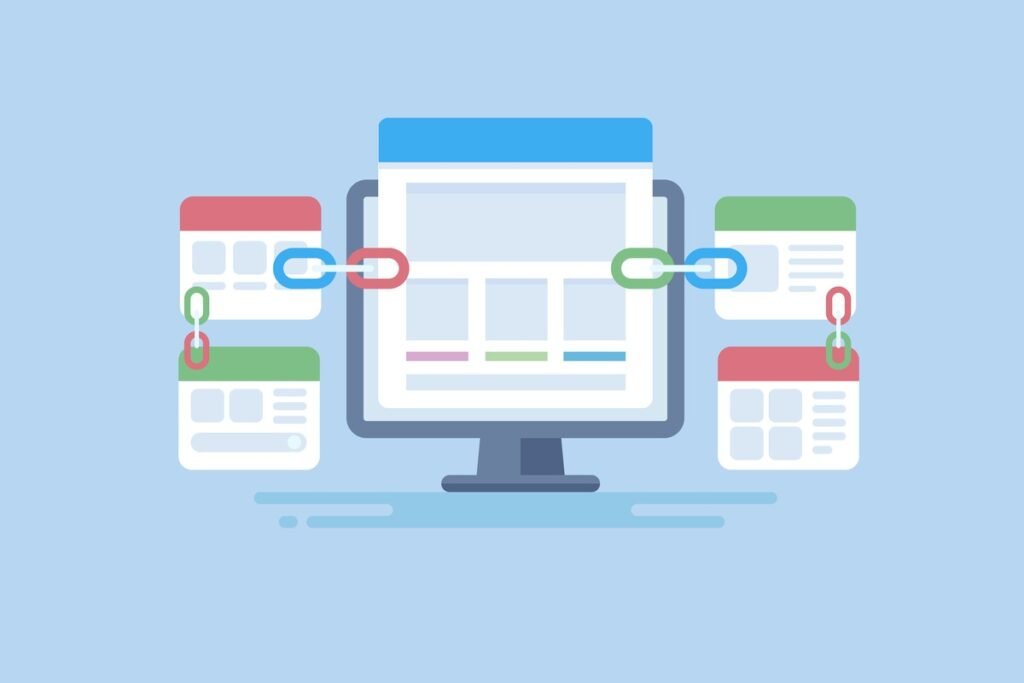
(This shows how backlinks connect sites and boost authority.)
How to get them ethically:
In 2026, quality over quantity: One link from a trusted site is worth hundreds of low-quality ones.
Other off-page: Social signals, brand mentions.
SEO evolves, so stay updated. Key trends now:
Avoid black-hat tactics like buying links—they lead to penalties.
Tools for beginners (many free):
Be patient—results can take 3-6 months, but consistent effort pays off. Organic traffic is sustainable and cost-effective.
SEO might seem overwhelming at first, but it’s learnable. Focus on creating value for users, and search engines will reward you.
Whether you’re blogging, running a business, or just sharing ideas, good SEO helps more people discover your work.
Start small: Pick one page, apply these tips, and track progress.
If you have questions, drop a comment below—I’d love to help!
Updated January 2026 for the latest trends.
(Word count: ~2,500 – Comprehensive yet easy to read!)
What do you think—is SEO worth the effort for your site? Share your thoughts!