Physical Address
304 North Cardinal St.
Dorchester Center, MA 02124
Physical Address
304 North Cardinal St.
Dorchester Center, MA 02124
If you’re setting up a new PC or refreshing your current one running Windows 10 or 11, you don’t need to spend a fortune on software. There are tons of high-quality free options that can handle everything from everyday tasks to advanced productivity, media playback, and system maintenance. In this beginner-friendly 2026 guide, we’ll cover the essentials, explain why free software matters, and recommend the top picks that are safe, reliable, and still going strong this year.

Software is basically the set of instructions that tells your computer what to do. Without it, your Windows PC would just be a fancy box—it needs programs (also called apps) to browse the web, play videos, edit documents, or protect against viruses.
There are two main types:
Most software is either paid (you buy a license) or free. Free software can be “freeware” (completely free with no strings) or “open-source” (free, and anyone can view/modify the code for transparency and community improvements).
Switching to free software can save you hundreds of dollars a year. For example:
Free options often have fewer ads than “freemium” apps, and open-source ones are regularly updated by communities. They also reduce risks: Paid software isn’t always better, and free reputable tools (from trusted sources like official websites or Microsoft Store) are just as secure.
Plus, many free programs are lightweight, meaning they won’t slow down your PC like bloated paid versions sometimes do.
Here are the must-have free tools, grouped by category. All are compatible with Windows 10 and 11, ad-free (or minimal), and from trusted developers.
A web browser is your gateway to the internet – it loads websites, plays videos, and handles online apps.
Why Brave or Firefox in 2026? Microsoft Edge and Chrome are solid, but many users prefer alternatives for better privacy. Brave blocks ads and trackers by default, making pages load faster and protecting your data. Firefox focuses on privacy without being based on Google’s engine. Both are free, lightweight, and still top-rated for Windows.
Key Features:
How to Install & Use:
Beginner Tip: Start with Brave for automatic privacy. Sync across devices with a free account.

VLC is a universal player that handles almost any video or audio file without needing extra downloads.
Why VLC in 2026? It’s still the undisputed king – plays everything from old DVDs to modern 4K/8K files, streams online content, and supports subtitles. Alternatives like MPV or PotPlayer exist, but VLC is easiest for beginners and most reliable.
Key Features:
How to Install & Use:
Beginner Tip: Use the orange cone icon on your desktop. It’s lightweight and won’t slow your PC.
This tool shrinks files/folders into archives (like ZIP) to save space or email large items easily.
Why 7-Zip in 2026? It offers the best compression ratios, is open-source, and handles more formats than Windows’ built-in tool. Still the top free choice over PeaZip or others.
Key Features:
How to Install & Use:
Beginner Tip: Use default settings for most tasks. Great for backing up photos/videos.
A full replacement for Microsoft Office – word processor, spreadsheets, presentations, and more.
Why LibreOffice in 2026? It’s the best free desktop suite: fully compatible with .docx/.xlsx, offline, and packed with features. Still leading over OnlyOffice or WPS for open-source fans.
Key Features:
How to Install & Use:
Beginner Tip: Choose “Tabbed” interface for a modern look like Office.
Official free toolkit from Microsoft to supercharge Windows.
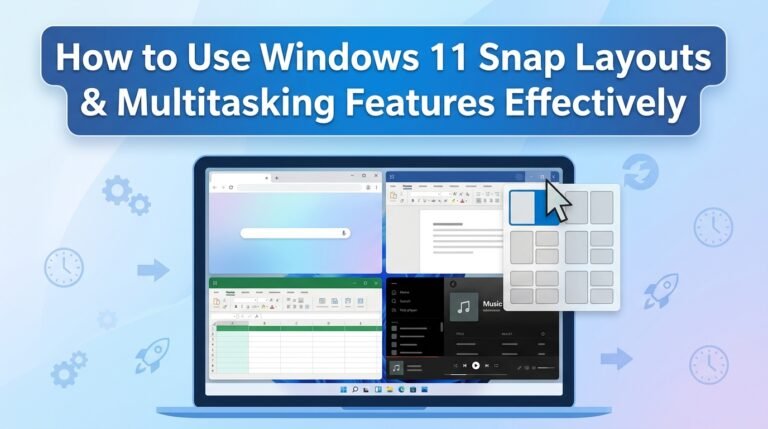
Why PowerToys in 2026? It adds pro features like advanced window snapping and bulk renaming. Constantly updated with new tools.
Key Features (Highlights):
How to Install & Use:
Beginner Tip: Start with a few tools; it’s modular.
Securely stores and auto-fills passwords.
Why Bitwarden? Free, open-source, unlimited devices – better privacy than browser built-ins.
Key Features: Vault sync, generator, 2FA.
Install: bitwarden.com – browser extension + app.
Advanced captures, edits, and uploads.
Why ShareX? Free, powerful – GIFs, annotations, auto-upload.
Install: getsharex.com – hotkeys like Print Screen.

Instantly finds files by name.
Why Everything? Blazing fast vs. Windows search.
Install: voidtools.com.

Photoshop-like for free.
Why GIMP? Powerful layers, tools, plugins.
Install: gimp.org.

In 2026, these free tools are more polished than ever, thanks to ongoing community and developer support. You’ll get a smooth, productive experience without spending a dime. Start with VLC, 7-Zip, LibreOffice, and PowerToys—they’re game-changers for most users!
If you have a specific need (like gaming or photo editing), let me know for more tailored suggestions. Happy computing! 🚀